


Catalogs Hide
- 1 Regular TV vs Outdoor TV: What's Actually Different?
- 2 The Real Cost of Not Buying an Outdoor TV
- 3 Outdoor TV Brightness: How Many Nits Do You Actually Need?
- 4 Smart Features: Don't Sacrifice Indoor Convenience
- 5 Picture Quality: Do Outdoor TVs Support Dolby Vision?
- 6
- 7 FAQ: Are Outdoor TVs Really Worth It?
You've seen the YouTube backyard setups. The 55-inch screen above the built-in grill, the Friday night movie projections by the pool, the fans watching the game under string lights. And you've thought: I want that.
Then you looked up the price. And suddenly the dream got complicated.
Are outdoor TVs really worth it — or are they an overpriced luxury you can skip? we've tested and compared dozens of models. Here's our straight answer, backed by real specs and real competitor data.
This is the question that matters most. Before you buy anything, you need to understand why a dedicated outdoor TV costs more than your living room set.
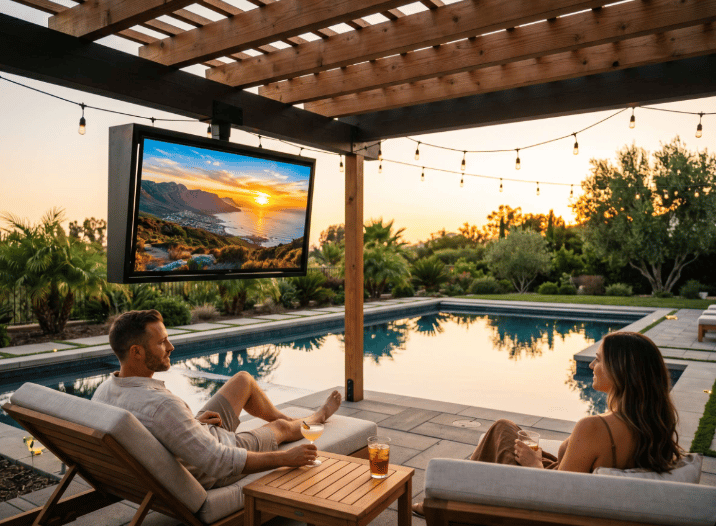
A standard indoor TV tops out at around 250–400 nits of brightness. Take it outside on a sunny afternoon, and you're watching a dark rectangle.
Outdoor TVs are built differently:
For reference, the ByteFree BF-55ODTV — one of the most competitive models in the $1,499–$1,599 segment — delivers 1,500 nits of brightness. That puts it firmly in partial-sun territory, suitable for covered patios, pergolas, and poolside setups that receive indirect light.
By comparison, the Sylvox DeckPro 2.0+ at the same $1,599 price point maxes out at 1,000 nits (with real-world testing showing as low as 520 nits). That's a significant gap for the same money.
A regular TV has zero protection against moisture, dust, or temperature swings. One unexpected rain shower, and it's toast.
Outdoor TVs are rated using the IP (Ingress Protection) scale. Here's what to look for:
The ByteFree BF-55ODTV carries a certified IP55 rating, meaning it can handle rain, humidity, and poolside splashing without issue. Its all-metal enclosure (both bezel and rear casing) also provides structural protection that plastic-bodied indoor TVs simply cannot match.
A typical indoor TV is designed for 60°F–95°F room environments. Leave it in a garage in winter or on a sun-baked patio in summer, and you risk hardware failure.
The BF-55ODTV is rated to operate from 0°C to 50°C (32°F to 122°F) — covering most climates across the southern US, coastal regions, and warm-weather markets year-round. It also handles 4 internal cooling fans for active heat management, a feature you won't find in any indoor TV.
This is one that casual shoppers almost always miss. Outdoor TVs use anti-glare tempered glass on the display panel — not the glossy finish on your indoor set. Without it, outdoor viewing in daylight is miserable regardless of brightness. ByteFree's BF-55ODTV uses a matte anti-glare glass panel to combat ambient light reflection directly.
Let's talk about the two most common "budget" workarounds — and why they often cost more in the long run.
Some buyers buy a regular TV and put it inside a weatherproof enclosure cabinet. In theory, it sounds clever.
In practice, the problems stack up:
Add enclosure cost to a decent indoor TV, and you're often spending more than a purpose-built outdoor TV costs — while getting significantly worse performance.
This one is particularly common. The problem: humidity doesn't care about seasons. Even in mild climates, condensation, insects, and UV exposure will degrade your indoor TV faster than you expect. Panel damage from moisture typically voids the manufacturer warranty entirely.
When you look at it that way, the dedicated outdoor TV is often the better value — not the splurge.
This question trips up a lot of buyers. The answer depends entirely on your installation location.
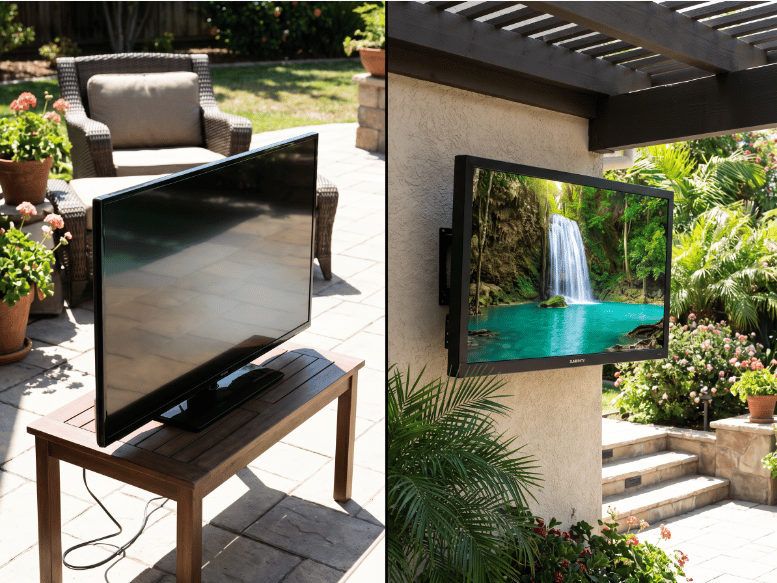
Full-Shade Installation (covered porch, no direct sun): 700–1,000 nits is sufficient. Models like the Sylvox Patio (700 nits, ~$1,199) work fine here.
Partial-Sun Installation (pergola, partly covered patio, indirect afternoon light): You need at least 1,000 nits, ideally 1,500 nits. This is the most common residential use case — and where the ByteFree BF-55ODTV hits the sweet spot at its price point.
Full-Sun Installation (pool deck with no shade, south-facing wall): 2,000 nits minimum. You're looking at SunBrite Cinema, Furrion Aurora Full-Sun Pro, or similar at $2,999–$6,999+.
The key takeaway: Don't overpay for full-sun brightness if your patio is covered. And don't underspend on a 700-nit model if your yard gets afternoon sun.
One concern we hear often: "Will an outdoor TV have the same apps and smart features as my indoor TV?"
With the right model, absolutely yes. The ByteFree BF-55ODTV runs native Google TV — the same platform you'd find on a Chromecast device or a Sony Bravia. That means:
For comparison, some competitor brands like Furrion and SunBrite run webOS — a capable but more limited ecosystem. Peerless-AV Neptune uses webOS as well, while MirageVision Silver uses Google TV.
Here's where most buyers get a surprise — and where the BF-55ODTV separates itself from the competition.
Dolby Vision is the premium HDR format that unlocks scene-by-scene color and brightness optimization, delivering visibly better image quality over standard HDR10 on supported content (Netflix, Disney+, Apple TV+, etc.).
Among 55-inch outdoor TVs priced under $1,600, Dolby Vision support is extremely rare. Our competitive analysis of 20 models across Sylvox, SunBrite, Furrion, Element, Peerless-AV, and MirageVision shows:
At this price tier, the BF-55ODTV is effectively the only 55-inch outdoor TV under $1,600 offering both Dolby Vision and Dolby Atmos simultaneously — delivering both premium picture and premium sound without requiring an external soundbar.
Its 30W total output (15W × 2) speaker system also outperforms most competitors in the category, many of whom ship with 16W or less.
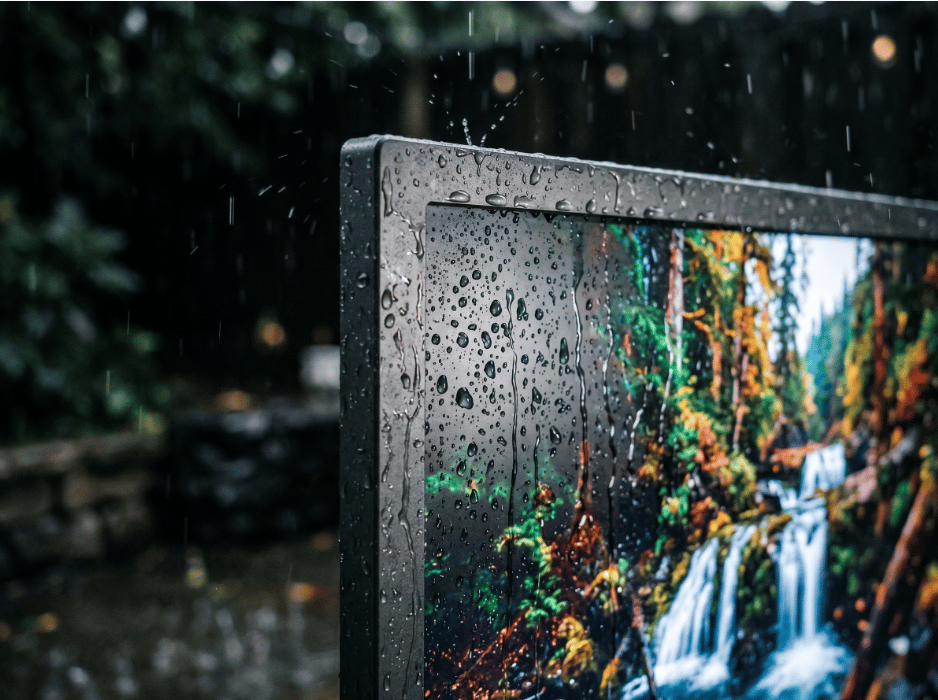
You can — but it's rarely the better value. A quality outdoor enclosure adds $300–$800 to your cost, doesn't solve the brightness problem (your indoor TV still tops out at ~400 nits), and likely voids your indoor TV's warranty. A purpose-built outdoor TV like the BF-55ODTV includes IP55 weatherproofing, 1,500-nit brightness, anti-glare glass, and a full outdoor warranty — often for a similar or lower total cost.
It depends on your installation environment. For fully shaded areas (no direct sunlight), 700–1,000 nits is enough. For partial-sun patios, pergolas, or covered decks that receive indirect light, look for 1,000–1,500 nits. For full-sun exposure like an uncovered pool deck, you need 2,000 nits or more. Most residential patios fall in the partial-sun category, making a 1,500-nit TV the practical sweet spot.
Yes — as long as you choose a model with a modern smart TV operating system. The ByteFree BF-55ODTV runs Google TV natively, giving you full access to Netflix, YouTube, Disney+, Prime Video, and thousands of other apps. It also includes Chromecast built-in and Google Assistant voice control, offering the same smart TV experience you'd expect from an indoor set.
Then you looked up the price. And suddenly the dream got complicated.
Are outdoor TVs really worth it — or are they an overpriced luxury you can skip? we've tested and compared dozens of models. Here's our straight answer, backed by real specs and real competitor data.
Regular TV vs Outdoor TV: What's Actually Different?
This is the question that matters most. Before you buy anything, you need to understand why a dedicated outdoor TV costs more than your living room set.
Brightness: The Single Biggest Difference
A standard indoor TV tops out at around 250–400 nits of brightness. Take it outside on a sunny afternoon, and you're watching a dark rectangle.
Outdoor TVs are built differently:
- Entry-level outdoor TVs: 700–1,000 nits (shaded patios, full-shade use)
- Mid-range outdoor TVs: 1,000–1,500 nits (partial sun environments)
- Full-sun outdoor TVs: 2,000–2,500 nits (direct sunlight, pool-facing installations)
For reference, the ByteFree BF-55ODTV — one of the most competitive models in the $1,499–$1,599 segment — delivers 1,500 nits of brightness. That puts it firmly in partial-sun territory, suitable for covered patios, pergolas, and poolside setups that receive indirect light.
By comparison, the Sylvox DeckPro 2.0+ at the same $1,599 price point maxes out at 1,000 nits (with real-world testing showing as low as 520 nits). That's a significant gap for the same money.
Weatherproofing: Not Just a Marketing Claim
A regular TV has zero protection against moisture, dust, or temperature swings. One unexpected rain shower, and it's toast.
Outdoor TVs are rated using the IP (Ingress Protection) scale. Here's what to look for:
- IP54: Basic splash resistance — found on some budget outdoor TVs
- IP55: Protected against water jets from any direction — the current industry standard, used by ByteFree, Sylvox, SunBrite, Furrion, and most major brands
- IP66: Full dust-tight and heavy water jet protection — premium tier (e.g., Furrion Aurora Full-Sun Pro)
The ByteFree BF-55ODTV carries a certified IP55 rating, meaning it can handle rain, humidity, and poolside splashing without issue. Its all-metal enclosure (both bezel and rear casing) also provides structural protection that plastic-bodied indoor TVs simply cannot match.
Temperature Tolerance: Often Overlooked
A typical indoor TV is designed for 60°F–95°F room environments. Leave it in a garage in winter or on a sun-baked patio in summer, and you risk hardware failure.
The BF-55ODTV is rated to operate from 0°C to 50°C (32°F to 122°F) — covering most climates across the southern US, coastal regions, and warm-weather markets year-round. It also handles 4 internal cooling fans for active heat management, a feature you won't find in any indoor TV.
Anti-Glare Glass: The Hidden Spec
This is one that casual shoppers almost always miss. Outdoor TVs use anti-glare tempered glass on the display panel — not the glossy finish on your indoor set. Without it, outdoor viewing in daylight is miserable regardless of brightness. ByteFree's BF-55ODTV uses a matte anti-glare glass panel to combat ambient light reflection directly.
The Real Cost of Not Buying an Outdoor TV
Let's talk about the two most common "budget" workarounds — and why they often cost more in the long run.
Option 1: The Outdoor TV Enclosure Route
Some buyers buy a regular TV and put it inside a weatherproof enclosure cabinet. In theory, it sounds clever.
In practice, the problems stack up:
- Quality outdoor enclosures cost $300–$800 on their own
- You still need to deal with heat buildup inside the sealed box
- No anti-glare glass — enclosures use polycarbonate that washes out in sunlight
- Your indoor TV's warranty is void the moment it goes outside
- Brightness remains limited to whatever your indoor TV does — usually under 400 nits
Add enclosure cost to a decent indoor TV, and you're often spending more than a purpose-built outdoor TV costs — while getting significantly worse performance.
Option 2: Using a Regular TV "Just for the Season"
This one is particularly common. The problem: humidity doesn't care about seasons. Even in mild climates, condensation, insects, and UV exposure will degrade your indoor TV faster than you expect. Panel damage from moisture typically voids the manufacturer warranty entirely.
The Smarter Math
| Regular TV + Enclosure | Dedicated Outdoor TV (BF-55ODTV) | |
|---|---|---|
| Brightness | ~300–400 nits | 1,500 nits |
| IP Rating | Depends on enclosure | IP55 certified |
| Anti-Glare | No | Yes |
| Warranty | Likely voided | Full outdoor warranty |
| Smart Platform | Varies | Google TV built-in |
| Estimated Cost | $800–$1,400+ | $1,499–$1,599 |
When you look at it that way, the dedicated outdoor TV is often the better value — not the splurge.
Outdoor TV Brightness: How Many Nits Do You Actually Need?
This question trips up a lot of buyers. The answer depends entirely on your installation location.
Full-Shade Installation (covered porch, no direct sun): 700–1,000 nits is sufficient. Models like the Sylvox Patio (700 nits, ~$1,199) work fine here.
Partial-Sun Installation (pergola, partly covered patio, indirect afternoon light): You need at least 1,000 nits, ideally 1,500 nits. This is the most common residential use case — and where the ByteFree BF-55ODTV hits the sweet spot at its price point.
Full-Sun Installation (pool deck with no shade, south-facing wall): 2,000 nits minimum. You're looking at SunBrite Cinema, Furrion Aurora Full-Sun Pro, or similar at $2,999–$6,999+.
The key takeaway: Don't overpay for full-sun brightness if your patio is covered. And don't underspend on a 700-nit model if your yard gets afternoon sun.
Smart Features: Don't Sacrifice Indoor Convenience
One concern we hear often: "Will an outdoor TV have the same apps and smart features as my indoor TV?"
With the right model, absolutely yes. The ByteFree BF-55ODTV runs native Google TV — the same platform you'd find on a Chromecast device or a Sony Bravia. That means:
- Netflix, YouTube, Disney+, Prime Video, and 700,000+ apps via Google Play
- Chromecast built-in for screen mirroring from any phone or laptop
- Google Assistant voice control via the included remote
- Automatic software updates
- The same personalized home screen you'd get on an indoor smart TV
For comparison, some competitor brands like Furrion and SunBrite run webOS — a capable but more limited ecosystem. Peerless-AV Neptune uses webOS as well, while MirageVision Silver uses Google TV.
Picture Quality: Do Outdoor TVs Support Dolby Vision?
Here's where most buyers get a surprise — and where the BF-55ODTV separates itself from the competition.
Dolby Vision is the premium HDR format that unlocks scene-by-scene color and brightness optimization, delivering visibly better image quality over standard HDR10 on supported content (Netflix, Disney+, Apple TV+, etc.).
Among 55-inch outdoor TVs priced under $1,600, Dolby Vision support is extremely rare. Our competitive analysis of 20 models across Sylvox, SunBrite, Furrion, Element, Peerless-AV, and MirageVision shows:
- Sylvox DeckPro 2.0+ ($1,599): No Dolby Vision
- Sylvox DeckPro 3.0+ ($1,699): No Dolby Vision
- Sylvox DeckPro QLED 2.0+ ($2,299): No Dolby Vision
- Furrion Aurora Partial-Sun series ($1,199–$2,699): No Dolby Vision
- SunBrite Veranda 3 ($1,699): Yes — but at a higher price
- ByteFree BF-55ODTV ($1,499–$1,599): Yes, Dolby Vision + Dolby Atmos
At this price tier, the BF-55ODTV is effectively the only 55-inch outdoor TV under $1,600 offering both Dolby Vision and Dolby Atmos simultaneously — delivering both premium picture and premium sound without requiring an external soundbar.
Its 30W total output (15W × 2) speaker system also outperforms most competitors in the category, many of whom ship with 16W or less.
FAQ: Are Outdoor TVs Really Worth It?
Q: Can I just put a regular TV outside in a weatherproof enclosure?
You can — but it's rarely the better value. A quality outdoor enclosure adds $300–$800 to your cost, doesn't solve the brightness problem (your indoor TV still tops out at ~400 nits), and likely voids your indoor TV's warranty. A purpose-built outdoor TV like the BF-55ODTV includes IP55 weatherproofing, 1,500-nit brightness, anti-glare glass, and a full outdoor warranty — often for a similar or lower total cost.
Q: How many nits do I need for an outdoor TV?
It depends on your installation environment. For fully shaded areas (no direct sunlight), 700–1,000 nits is enough. For partial-sun patios, pergolas, or covered decks that receive indirect light, look for 1,000–1,500 nits. For full-sun exposure like an uncovered pool deck, you need 2,000 nits or more. Most residential patios fall in the partial-sun category, making a 1,500-nit TV the practical sweet spot.
Q: Do outdoor TVs support streaming apps like Netflix and YouTube?
Yes — as long as you choose a model with a modern smart TV operating system. The ByteFree BF-55ODTV runs Google TV natively, giving you full access to Netflix, YouTube, Disney+, Prime Video, and thousands of other apps. It also includes Chromecast built-in and Google Assistant voice control, offering the same smart TV experience you'd expect from an indoor set.
Last edited:
