


Catalogs Hide
- 1 What Each Protocol Actually Does
-
2
The Real Performance Comparison
- 2.1 Latency
- 2.2 Range
- 2.3 Audio Quality
- 2.4 Reliability Under Real Conditions
- 2.5 Multi-Speaker Support
- 3 When Bluetooth Audio Fits Your Outdoor TV
- 4 When Wi-Fi Audio Fits Your Outdoor TV
- 5 The Setup Cost Comparison
- 6 Combined Approaches and Hybrid Setups
- 7 What Most Buyers Get Wrong
- 8 Frequently Asked Questions
- 9 Summary
The "how should I connect my outdoor TV to speakers" question gets a different answer than indoor audio setups suggest. Outdoor environments add factors that change which audio connection protocol works best — distance variability, weather effects on signal quality, ambient noise, and the specific use cases that drive outdoor entertainment.
Here's the honest comparison of Bluetooth vs Wi-Fi audio for outdoor TVs in 2026 — real engineering differences, install scenarios where each fits, and which protocol delivers consistent reliability in outdoor conditions.
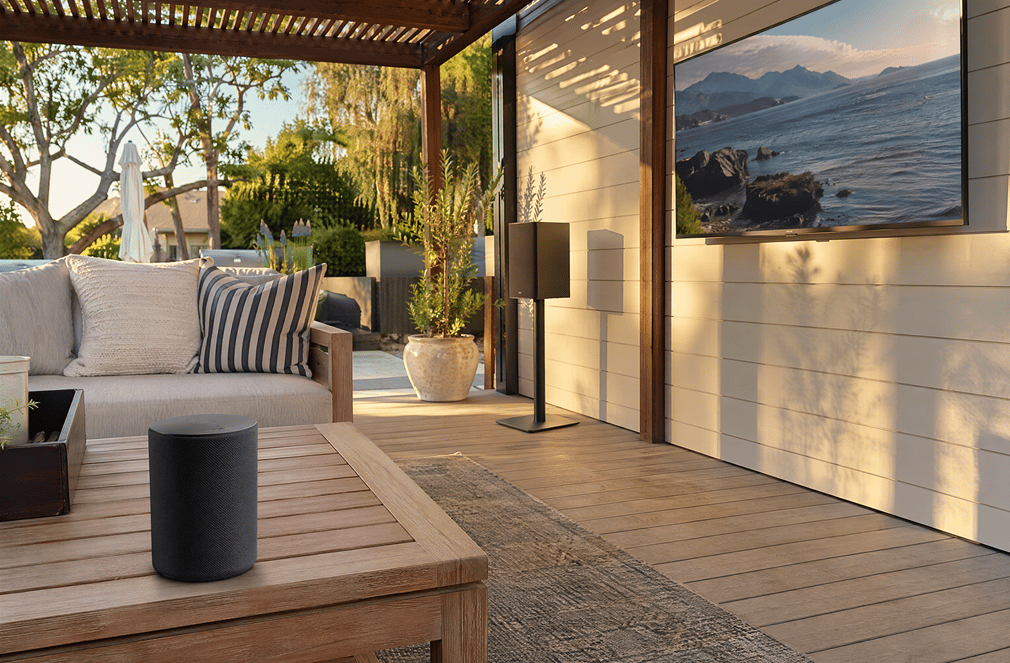
Wireless audio protocol designed for short-range device-to-device connections. Bluetooth audio standard supports stereo audio with various quality levels depending on codec used.
Key characteristics:
Common codecs and quality:
Wireless audio protocol using home Wi-Fi networks to transmit audio to network-connected speakers. Wi-Fi audio supports uncompressed audio and multi-room synchronization.
Key characteristics:
Common protocols:
For outdoor TV audio specifically:
Bluetooth: 150-300ms typical latency between TV audio and Bluetooth speaker output. Without aptX Low Latency codec, lip-sync issues are visible in video content.
Wi-Fi: 30-100ms typical latency. Significantly better lip-sync for video content. Some Wi-Fi audio systems include explicit lip-sync correction.
Practical impact: For TV viewing (where you can see speakers' mouths move), Wi-Fi audio's lip-sync advantage is meaningful. For music-only listening, Bluetooth latency doesn't matter.
Bluetooth: 30-foot maximum effective range, less in practice with walls or obstacles. Common to lose connection when moving the speaker away from the TV.
Wi-Fi: Range limited only by Wi-Fi network coverage. Speakers can be placed anywhere the network reaches — across the yard, in the pool area, multiple speakers throughout the patio.
Practical impact: Wi-Fi audio supports more flexible speaker placement. Bluetooth audio works only when speakers are physically close to the TV.
Bluetooth: Compressed audio. Quality depends on codec — SBC sounds noticeably worse than aptX HD. Most outdoor Bluetooth speakers don't advertise specific codecs, leaving quality unpredictable.
Wi-Fi: Uncompressed audio capability. Up to 24-bit/192kHz audio support on quality systems. Consistent quality regardless of distance within network range.
Practical impact: Wi-Fi audio delivers measurably better audio fidelity. For typical TV content (sports, casual streaming), the difference is modest. For music streaming or movie viewing, the difference is more significant.
Bluetooth: Subject to interference from other Bluetooth devices, microwave ovens, Wi-Fi routers operating in 2.4GHz band. Outdoor environments often have many interfering devices.
Wi-Fi: Reliability depends on home network reliability. Strong Wi-Fi network = strong audio reliability. Weak network = poor audio reliability.
Practical impact: In typical residential outdoor environments, Wi-Fi audio is more reliable than Bluetooth when the home Wi-Fi infrastructure is adequate. Bluetooth is more reliable than Wi-Fi when the home network is weak or congested.
Bluetooth: Most modern Bluetooth implementations support only one speaker at a time. Multi-speaker Bluetooth (party mode, dual audio) exists but has compatibility limitations.
Wi-Fi: Native multi-speaker support. AirPlay 2, Chromecast, and Sonos all support synchronized playback across multiple speakers throughout the install.
Practical impact: For multi-zone outdoor entertainment (separate speakers in pool area, dining area, bar area), Wi-Fi is the clear winner.
Bluetooth makes sense in these scenarios:
For patios where speakers will stay within 15-20 feet of the TV permanently, Bluetooth's range limitations don't matter. The reliability of Bluetooth in close-range applications is excellent.
If your outdoor TV is primarily background entertainment and your speakers are primarily for music (not TV audio), Bluetooth's latency limitations don't matter. The setup simplicity is genuinely valuable.
If your home Wi-Fi doesn't reliably reach your outdoor TV install location, Wi-Fi audio will struggle regardless of protocol. Bluetooth bypasses this entirely by connecting TV-to-speaker directly without network involvement.
Battery-powered outdoor Bluetooth speakers (JBL Charge, Bose SoundLink, UE Boom) that move between indoor and outdoor use, work specifically with Bluetooth, and don't fit Wi-Fi multi-room systems. For portable speaker use cases, Bluetooth is the only option.
Bluetooth outdoor speakers typically cost less than Wi-Fi equivalent (basic Bluetooth speakers $50-$200 vs Wi-Fi speakers $200-$500+). For budget-conscious outdoor entertainment setups, Bluetooth delivers usable audio at lower cost.
Wi-Fi audio makes sense in these scenarios:
For patios with separate dining, lounge, pool, and bar areas requiring synchronized audio across zones, Wi-Fi audio is the only practical option. Multi-room synchronization is the killer feature.
For households where the speakers primarily reproduce TV audio (sports, streaming, movies), Wi-Fi's better lip-sync makes the difference between immersive and slightly off viewing experiences.
If audio quality is a primary value driver, Wi-Fi audio's uncompressed capability and consistent quality regardless of distance deliver meaningfully better music and movie audio than Bluetooth alternatives.
If you already have Wi-Fi 6 mesh networking with good coverage at your outdoor TV location, you've already paid for the infrastructure Wi-Fi audio needs. Adding Wi-Fi speakers is the natural extension of that investment.
Wi-Fi audio systems integrate with smart home ecosystems (Apple HomeKit, Google Home, Amazon Alexa) for voice control, automation, and multi-device coordination. Bluetooth audio doesn't support this integration depth.
If you already have AirPlay 2, Chromecast, or Sonos speakers indoors, adding outdoor speakers in the same ecosystem creates a unified audio system. Mixed Bluetooth-and-Wi-Fi setups create user experience friction.
The cost gap is significant — Wi-Fi audio costs 2-5x more than Bluetooth alternatives for comparable speaker capability.
Many outdoor TVs support both Bluetooth and Wi-Fi audio simultaneously, enabling hybrid use:
Bluetooth for primary audio + Wi-Fi for backup: Configure Bluetooth speaker as default; switch to Wi-Fi when Bluetooth has issues.
Wi-Fi for fixed install + Bluetooth for portable: Permanent Wi-Fi speakers for daily TV viewing; portable Bluetooth speaker for music and special occasions.
Wi-Fi multi-zone for entertainment + Bluetooth for headphones: Wi-Fi speakers throughout patio; Bluetooth headphones for late-night solo viewing without disturbing neighbors.
For typical residential outdoor TV installs, this hybrid approach delivers the flexibility of both protocols without committing fully to either.
Common audio connection mistakes:
Bluetooth audio is genuinely usable for music. For TV video content, the latency creates lip-sync mismatch that's noticeable on dialog-heavy content (movies, scripted TV). Buyers often only notice this after install completion.
Fix: If TV audio is primary use case, verify lip-sync acceptable before committing to Bluetooth (test with a movie clip before final purchase).
Wi-Fi audio quality depends entirely on Wi-Fi reliability. Installing Wi-Fi speakers without confirming strong network coverage at the speaker locations leads to frequent connection drops.
Fix: Test Wi-Fi strength at planned speaker locations before purchasing Wi-Fi-only audio systems.
If your outdoor entertainment is one TV + one speaker on a single patio, the multi-room and synchronization advantages of Wi-Fi audio don't matter. Bluetooth at lower cost delivers comparable real-world performance.
Fix: Match audio protocol to actual use case scope.
Combining Bluetooth speakers from one brand, Wi-Fi speakers from another, and TV from a third creates compatibility issues. The "it should just work" expectation often fails in practice.
Fix: Pick one ecosystem (Bluetooth speakers from any brand, OR Wi-Fi speakers from one ecosystem) rather than mixing.
For most US residential outdoor TV installations with single-speaker setups in close proximity to the TV, Bluetooth delivers adequate audio at significantly lower cost ($100-$500 incremental). For multi-speaker installations, large patios, TV-primary audio (where lip-sync matters), or households with existing Wi-Fi audio investments, Wi-Fi audio's advantages justify the higher cost ($300-$1,300+ incremental).
Yes — quality outdoor TVs include built-in speakers (typically 15-30W) that handle most residential use cases without requiring additional speakers. The ByteFree BF-55ODTV ($1,499) includes 30W hardware Dolby Atmos audio, which is adequate for typical patio audio without requiring soundbar or external speaker addition. The decision to add external speakers is about audio enhancement, not basic functionality.
Most modern outdoor TVs support Bluetooth headphone pairing. Range is typically 30 feet from the TV — adequate for most residential patio setups. Bluetooth headphones are popular for late-night viewing where speaker audio might disturb neighbors. Lip-sync latency on Bluetooth headphones is the same as on Bluetooth speakers — generally acceptable for casual viewing, marginal for dialog-heavy content.
AirPlay 2 is Wi-Fi audio protocol from Apple — uncompressed audio, multi-room synchronization, longer range. Bluetooth is direct device-to-device wireless audio — compressed, short range, simpler setup. AirPlay 2 delivers better audio quality and more flexible speaker placement; Bluetooth delivers simpler setup at lower cost. For Apple-ecosystem households with multi-zone outdoor entertainment, AirPlay 2 is the right choice. For tight-budget single-speaker setups, Bluetooth is adequate.
Most modern outdoor TVs (2023+) support both Bluetooth audio and Wi-Fi audio capabilities. Older outdoor TVs may support only one protocol. Verify spec sheet on your specific model before assuming both protocols are available. Premium outdoor TVs typically support both with more advanced codec compatibility.
The Bluetooth vs Wi-Fi audio decision for outdoor TVs depends on use case and scope, not absolute "better/worse" judgments.
Bluetooth audio fits when:
Wi-Fi audio fits when:
For most US residential outdoor TV installations, the ByteFree BF-55ODTV at $1,499 with 30W hardware Dolby Atmos built-in audio handles typical patio audio needs without requiring immediate external speaker addition. If external speakers are needed later, the TV supports both Bluetooth and Wi-Fi audio protocols — allowing buyers to decide based on actual use patterns rather than upfront commitment.
Don't over-spec audio infrastructure for setups that won't tap into the capability. Don't under-spec for installations that require flexibility built-in audio doesn't provide. Match the audio protocol to your specific install scope, content priority, and existing audio ecosystem.
Related reading:
Here's the honest comparison of Bluetooth vs Wi-Fi audio for outdoor TVs in 2026 — real engineering differences, install scenarios where each fits, and which protocol delivers consistent reliability in outdoor conditions.
What Each Protocol Actually Does
Bluetooth Audio
Wireless audio protocol designed for short-range device-to-device connections. Bluetooth audio standard supports stereo audio with various quality levels depending on codec used.
Key characteristics:
- Short range (typically 30 feet effective)
- Stereo audio standard (limited surround support)
- Compressed audio (codec-dependent quality)
- Direct device-to-device pairing
- Lower power consumption
- No router or network required
Common codecs and quality:
- SBC (Standard) — basic quality, universal support
- AAC — better than SBC, common on Apple devices
- aptX — higher quality, lower latency on Android
- aptX HD — high resolution audio with lower latency
- LDAC — Sony's high-resolution audio codec
Wi-Fi Audio (Including AirPlay, Chromecast Audio, Sonos)
Wireless audio protocol using home Wi-Fi networks to transmit audio to network-connected speakers. Wi-Fi audio supports uncompressed audio and multi-room synchronization.
Key characteristics:
- Longer range (limited by Wi-Fi coverage)
- Uncompressed audio capability
- Multi-room synchronization
- Multi-speaker setups
- Requires Wi-Fi network infrastructure
- Higher power consumption than Bluetooth
Common protocols:
- AirPlay 2 (Apple ecosystem)
- Chromecast built-in (Google ecosystem)
- Sonos proprietary protocol
- Spotify Connect
- Wi-Fi Direct (peer-to-peer)
The Real Performance Comparison
For outdoor TV audio specifically:
Latency
Bluetooth: 150-300ms typical latency between TV audio and Bluetooth speaker output. Without aptX Low Latency codec, lip-sync issues are visible in video content.
Wi-Fi: 30-100ms typical latency. Significantly better lip-sync for video content. Some Wi-Fi audio systems include explicit lip-sync correction.
Practical impact: For TV viewing (where you can see speakers' mouths move), Wi-Fi audio's lip-sync advantage is meaningful. For music-only listening, Bluetooth latency doesn't matter.
Range
Bluetooth: 30-foot maximum effective range, less in practice with walls or obstacles. Common to lose connection when moving the speaker away from the TV.
Wi-Fi: Range limited only by Wi-Fi network coverage. Speakers can be placed anywhere the network reaches — across the yard, in the pool area, multiple speakers throughout the patio.
Practical impact: Wi-Fi audio supports more flexible speaker placement. Bluetooth audio works only when speakers are physically close to the TV.
Audio Quality
Bluetooth: Compressed audio. Quality depends on codec — SBC sounds noticeably worse than aptX HD. Most outdoor Bluetooth speakers don't advertise specific codecs, leaving quality unpredictable.
Wi-Fi: Uncompressed audio capability. Up to 24-bit/192kHz audio support on quality systems. Consistent quality regardless of distance within network range.
Practical impact: Wi-Fi audio delivers measurably better audio fidelity. For typical TV content (sports, casual streaming), the difference is modest. For music streaming or movie viewing, the difference is more significant.
Reliability Under Real Conditions
Bluetooth: Subject to interference from other Bluetooth devices, microwave ovens, Wi-Fi routers operating in 2.4GHz band. Outdoor environments often have many interfering devices.
Wi-Fi: Reliability depends on home network reliability. Strong Wi-Fi network = strong audio reliability. Weak network = poor audio reliability.
Practical impact: In typical residential outdoor environments, Wi-Fi audio is more reliable than Bluetooth when the home Wi-Fi infrastructure is adequate. Bluetooth is more reliable than Wi-Fi when the home network is weak or congested.
Multi-Speaker Support
Bluetooth: Most modern Bluetooth implementations support only one speaker at a time. Multi-speaker Bluetooth (party mode, dual audio) exists but has compatibility limitations.
Wi-Fi: Native multi-speaker support. AirPlay 2, Chromecast, and Sonos all support synchronized playback across multiple speakers throughout the install.
Practical impact: For multi-zone outdoor entertainment (separate speakers in pool area, dining area, bar area), Wi-Fi is the clear winner.
When Bluetooth Audio Fits Your Outdoor TV
Bluetooth makes sense in these scenarios:
Small Patios with Speakers Close to TV
For patios where speakers will stay within 15-20 feet of the TV permanently, Bluetooth's range limitations don't matter. The reliability of Bluetooth in close-range applications is excellent.
Music-Primary Outdoor Use
If your outdoor TV is primarily background entertainment and your speakers are primarily for music (not TV audio), Bluetooth's latency limitations don't matter. The setup simplicity is genuinely valuable.
Households Without Reliable Wi-Fi at Outdoor Location
If your home Wi-Fi doesn't reliably reach your outdoor TV install location, Wi-Fi audio will struggle regardless of protocol. Bluetooth bypasses this entirely by connecting TV-to-speaker directly without network involvement.
Portable Speaker Use
Battery-powered outdoor Bluetooth speakers (JBL Charge, Bose SoundLink, UE Boom) that move between indoor and outdoor use, work specifically with Bluetooth, and don't fit Wi-Fi multi-room systems. For portable speaker use cases, Bluetooth is the only option.
Tight Budget Setups
Bluetooth outdoor speakers typically cost less than Wi-Fi equivalent (basic Bluetooth speakers $50-$200 vs Wi-Fi speakers $200-$500+). For budget-conscious outdoor entertainment setups, Bluetooth delivers usable audio at lower cost.
When Wi-Fi Audio Fits Your Outdoor TV
Wi-Fi audio makes sense in these scenarios:
Larger Patios with Multiple Audio Zones
For patios with separate dining, lounge, pool, and bar areas requiring synchronized audio across zones, Wi-Fi audio is the only practical option. Multi-room synchronization is the killer feature.
TV-Primary Audio Use
For households where the speakers primarily reproduce TV audio (sports, streaming, movies), Wi-Fi's better lip-sync makes the difference between immersive and slightly off viewing experiences.
Audiophile-Priority Households
If audio quality is a primary value driver, Wi-Fi audio's uncompressed capability and consistent quality regardless of distance deliver meaningfully better music and movie audio than Bluetooth alternatives.
Households with Strong Home Wi-Fi Infrastructure
If you already have Wi-Fi 6 mesh networking with good coverage at your outdoor TV location, you've already paid for the infrastructure Wi-Fi audio needs. Adding Wi-Fi speakers is the natural extension of that investment.
Integration with Smart Home Systems
Wi-Fi audio systems integrate with smart home ecosystems (Apple HomeKit, Google Home, Amazon Alexa) for voice control, automation, and multi-device coordination. Bluetooth audio doesn't support this integration depth.
Existing Wi-Fi Speaker Investments
If you already have AirPlay 2, Chromecast, or Sonos speakers indoors, adding outdoor speakers in the same ecosystem creates a unified audio system. Mixed Bluetooth-and-Wi-Fi setups create user experience friction.
The Setup Cost Comparison
Bluetooth Audio Setup
- Bluetooth-capable outdoor TV (standard in most modern models)
- Bluetooth outdoor speaker: $100-$500
- No network infrastructure required
- Total cost: $100-$500 incremental over TV
Wi-Fi Audio Setup (Single Speaker)
- Wi-Fi-capable outdoor TV (standard in most modern models)
- Wi-Fi outdoor speaker (Sonos, AirPlay 2, etc.): $300-$800
- Strong Wi-Fi network at outdoor location (may require mesh upgrade): $0-$500
- Total cost: $300-$1,300 incremental over TV
Wi-Fi Audio Setup (Multi-Speaker Patio)
- Wi-Fi-capable outdoor TV
- 3-4 Wi-Fi outdoor speakers (Sonos system, AirPlay 2 zones): $1,200-$3,200
- Wi-Fi 6 mesh upgrade for adequate coverage: $200-$500
- Total cost: $1,400-$3,700 incremental over TV
The cost gap is significant — Wi-Fi audio costs 2-5x more than Bluetooth alternatives for comparable speaker capability.
Combined Approaches and Hybrid Setups
Many outdoor TVs support both Bluetooth and Wi-Fi audio simultaneously, enabling hybrid use:
Bluetooth for primary audio + Wi-Fi for backup: Configure Bluetooth speaker as default; switch to Wi-Fi when Bluetooth has issues.
Wi-Fi for fixed install + Bluetooth for portable: Permanent Wi-Fi speakers for daily TV viewing; portable Bluetooth speaker for music and special occasions.
Wi-Fi multi-zone for entertainment + Bluetooth for headphones: Wi-Fi speakers throughout patio; Bluetooth headphones for late-night solo viewing without disturbing neighbors.
For typical residential outdoor TV installs, this hybrid approach delivers the flexibility of both protocols without committing fully to either.
What Most Buyers Get Wrong
Common audio connection mistakes:
Choosing Bluetooth for TV-Primary Use Without Checking Lip-Sync
Bluetooth audio is genuinely usable for music. For TV video content, the latency creates lip-sync mismatch that's noticeable on dialog-heavy content (movies, scripted TV). Buyers often only notice this after install completion.
Fix: If TV audio is primary use case, verify lip-sync acceptable before committing to Bluetooth (test with a movie clip before final purchase).
Choosing Wi-Fi Without Verifying Outdoor Wi-Fi Strength
Wi-Fi audio quality depends entirely on Wi-Fi reliability. Installing Wi-Fi speakers without confirming strong network coverage at the speaker locations leads to frequent connection drops.
Fix: Test Wi-Fi strength at planned speaker locations before purchasing Wi-Fi-only audio systems.
Overbuying Wi-Fi for Simple Single-Speaker Use
If your outdoor entertainment is one TV + one speaker on a single patio, the multi-room and synchronization advantages of Wi-Fi audio don't matter. Bluetooth at lower cost delivers comparable real-world performance.
Fix: Match audio protocol to actual use case scope.
Mixing Ecosystems
Combining Bluetooth speakers from one brand, Wi-Fi speakers from another, and TV from a third creates compatibility issues. The "it should just work" expectation often fails in practice.
Fix: Pick one ecosystem (Bluetooth speakers from any brand, OR Wi-Fi speakers from one ecosystem) rather than mixing.
Frequently Asked Questions
Is Bluetooth or Wi-Fi better for outdoor TV audio?
For most US residential outdoor TV installations with single-speaker setups in close proximity to the TV, Bluetooth delivers adequate audio at significantly lower cost ($100-$500 incremental). For multi-speaker installations, large patios, TV-primary audio (where lip-sync matters), or households with existing Wi-Fi audio investments, Wi-Fi audio's advantages justify the higher cost ($300-$1,300+ incremental).
Does outdoor TV come with built-in audio?
Yes — quality outdoor TVs include built-in speakers (typically 15-30W) that handle most residential use cases without requiring additional speakers. The ByteFree BF-55ODTV ($1,499) includes 30W hardware Dolby Atmos audio, which is adequate for typical patio audio without requiring soundbar or external speaker addition. The decision to add external speakers is about audio enhancement, not basic functionality.
Can I use my Bluetooth headphones with my outdoor TV?
Most modern outdoor TVs support Bluetooth headphone pairing. Range is typically 30 feet from the TV — adequate for most residential patio setups. Bluetooth headphones are popular for late-night viewing where speaker audio might disturb neighbors. Lip-sync latency on Bluetooth headphones is the same as on Bluetooth speakers — generally acceptable for casual viewing, marginal for dialog-heavy content.
What's the difference between AirPlay and Bluetooth audio?
AirPlay 2 is Wi-Fi audio protocol from Apple — uncompressed audio, multi-room synchronization, longer range. Bluetooth is direct device-to-device wireless audio — compressed, short range, simpler setup. AirPlay 2 delivers better audio quality and more flexible speaker placement; Bluetooth delivers simpler setup at lower cost. For Apple-ecosystem households with multi-zone outdoor entertainment, AirPlay 2 is the right choice. For tight-budget single-speaker setups, Bluetooth is adequate.
Do all outdoor TVs support Bluetooth and Wi-Fi audio?
Most modern outdoor TVs (2023+) support both Bluetooth audio and Wi-Fi audio capabilities. Older outdoor TVs may support only one protocol. Verify spec sheet on your specific model before assuming both protocols are available. Premium outdoor TVs typically support both with more advanced codec compatibility.
Summary
The Bluetooth vs Wi-Fi audio decision for outdoor TVs depends on use case and scope, not absolute "better/worse" judgments.
Bluetooth audio fits when:
- Single-speaker setups within 30 feet of TV
- Music-primary audio (latency doesn't matter)
- Budget-conscious installations
- Weak home Wi-Fi at outdoor location
- Portable speaker use cases
Wi-Fi audio fits when:
- Multi-speaker patio with multiple audio zones
- TV-primary audio where lip-sync matters
- Audiophile-priority audio quality
- Strong existing home Wi-Fi infrastructure
- Smart home ecosystem integration
- Existing Wi-Fi speaker investments
For most US residential outdoor TV installations, the ByteFree BF-55ODTV at $1,499 with 30W hardware Dolby Atmos built-in audio handles typical patio audio needs without requiring immediate external speaker addition. If external speakers are needed later, the TV supports both Bluetooth and Wi-Fi audio protocols — allowing buyers to decide based on actual use patterns rather than upfront commitment.
Don't over-spec audio infrastructure for setups that won't tap into the capability. Don't under-spec for installations that require flexibility built-in audio doesn't provide. Match the audio protocol to your specific install scope, content priority, and existing audio ecosystem.
Related reading:

