


olena
Member
Catalogs Hide
- 1 Before you start: 3 decisions that determine everything
- 2 Tools you need
- 3 Step 1: Confirm VESA size and mount compatibility
- 4 Step 2: Choose the right outdoor mount
- 5 Step 3: Mark and level the mount location
- 6 Step 4: Drill and install mount plate
- 7 Step 5: Run outdoor-rated cables
- 8 Step 6: Attach TV to mount
- 9 Step 7: Connect and test
- 10 Step 8: Weatherproof all penetrations
- 11 Step 9: Install drip loops and cable management
- 12 Step 10: Long-term maintenance setup
- 13 Common mistakes that void warranty (or shorten life)
-
14
Mount location: Pros/cons by position
- 14.1 Above fireplace
- 14.2 Eye-level on main patio wall
- 14.3 Under pergola or overhang
- 14.4 Pool-adjacent wall
-
15
FAQ
- 15.1 Can I mount a TV on brick without damaging it?
- 15.2 Do I need an electrician to install the GFCI outlet?
- 15.3 What's the ideal viewing distance for a 55-inch outdoor TV?
- 15.4 Can I mount the TV directly on stucco without finding studs?
- 15.5 What if the TV wall is exposed to extreme weather (hail, wind)?
- 15.6 Can I use an indoor TV mount for my outdoor TV?
- 16 Verdict
TL;DR:
Mounting an outdoor TV properly prevents 80% of premature failures and preserves warranty. The 10 steps: (1) confirm wall type and load rating, (2) choose correct VESA-rated outdoor mount, (3) plan power and data routing before drilling, (4) mark and drill with sealant, (5) install mount plate, (6) run outdoor-rated cables with drip loops, (7) attach TV to mount, (8) connect and test, (9) weatherproof all penetrations with silicone, (10) install cover for winter storage. The **ByteFree BF-55ODTV ($1,499)** uses standard VESA 400 mounting, so any outdoor-rated 400×400 articulating bracket works — total install time is 2–4 hours for a confident DIYer.
120V power (needs GFCI outdoor outlet within 6ft)
Ethernet (recommended over Wi-Fi for streaming)
HDMI (if external streaming device)
Audio line-out (if external soundbar)
Running cables through walls is 10× cheaper before the TV is mounted.
Cordless drill with masonry and wood bits (depending on wall type)
Stud finder (for wood framing)
Level (2-foot minimum)
Tape measure
Socket wrench set
Silicone caulk (outdoor-rated, clear preferred)
Outdoor-rated HDMI cable (if external sources)
CAT6 outdoor cable (if running ethernet)
Highly recommended:
Drip loop brackets for cables
Cable grommets (water-tight rubber boots for cable entry holes)
Surge protector (outdoor-rated)
Second person (2 hands aren't enough for lifting 50+ lb TV onto mount)
Time estimate: 2–4 hours for experienced DIYer, 4–8 hours first-time.
The BF-55ODTV's VESA 400×400 is the most common universal pattern — virtually every outdoor-rated bracket supports it.
For the BF-55ODTV: A fixed or tilting mount is sufficient for most installations. Only choose articulating if you need to view from multiple positions that aren't directly in front.
Galvanized or powder-coated steel (stops rust)
Stainless steel bolts (don't corrode)
Weather-resistant pivots and joints
A proper outdoor mount costs $100–$300 more than an indoor equivalent. Skipping this is a common shortcut that causes rust streaks down the wall within one year.
Measure TV viewing height. For seated viewing, center of screen at approximately 42 inches from the floor. For standing/bar height, 55+ inches.
Confirm the wall is level — use a 2-foot level horizontally. Walls sometimes aren't perfectly level; compensate when marking mount holes.
Mark all 4 (or 6, depending on bracket) bolt holes with a pencil or painter's tape.
Check clearance for TV operation — if using articulating mount, verify you can extend the TV without hitting obstructions.
Double-check sun exposure at the marked spot. Morning vs afternoon vs dusk — verify the TV won't be in direct sun beyond its rating.
Drive lag bolts with socket wrench (don't over-tighten — crushing the wall framing weakens the install)
Verify the mount plate is level after installation
Drill to anchor depth, clear out dust
Drive anchors with hammer or hammer drill
Screw mount plate to anchors
Drill through siding and into stud
Use lag bolts long enough to penetrate at least 1.5 inches into stud
Immediately after drilling and before attaching mount plate: apply a ring of silicone caulk around each drill hole (on the wall side) to seal against water ingress.
Run cable through wall or through weather-rated conduit
Create a drip loop — cable hangs below the connector, so water drips off instead of tracking to the outlet
Minimum 15 Mbps sustained throughput for Dolby Vision Netflix
Route through wall and through outdoor conduit if exposed
Maximum run: 15 feet for 4K/60Hz passive cable; longer needs active or fiber cable
Drip loops at every connector
Screw the bracket's TV-side plates into the VESA holes on back of the TV (don't overtighten)
With a partner, lift TV and engage the TV-side plates into the wall-side mount bracket
Confirm secure engagement — most outdoor mounts have a locking mechanism, engage it fully
Perform a light push/pull test — the TV should not slip or shift
Weight of major 55″ outdoor TVs:
**BF-55ODTV**: ~58 lbs (typical)
Sylvox Deck Pro 2.0: 54.5 lbs
SunBrite Veranda 3: 47 lbs
Samsung Terrace: ~60 lbs
Ensure your mount's maximum weight rating exceeds the TV weight by at least 30% for safety margin.
Connect HDMI / streaming device
Connect to Wi-Fi or ethernet
Test streaming (Netflix or YouTube)
Verify remote pairing
Test with TV cover in place (if using cover)
Mount bolt holes — silicone caulk around the base
Cable entry holes — weatherproof rubber grommet + silicone
Seam between mount plate and wall — thin bead of silicone around perimeter
Any drill holes that missed — fill with silicone or spackle
This step prevents 80% of moisture-related long-term failures. Don't skip it.
Cable hangs below the connector
Water naturally runs to the lowest point and drips off
No water can migrate back up into the connector
Common mistake: running cables upward to the TV (water tracks along the cable and into the connector, corroding internally).
Buy surge protector rated for outdoor use
Schedule quarterly check (wipe seals, verify bolt tightness, test GFCI outlet)
Document warranty terms and serial numbers
Skipping silicone seal on mount penetrations — water ingress damage not covered.
Using indoor mount outside — rust/failure within 12 months, not manufacturer's fault.
No drip loops on cables — moisture migration into connectors typically excluded.
Bolting into hollow wall without finding studs — TV falls, warranty void for physical damage.
Over-torquing VESA bolts — crushing TV mount threads voids warranty.
Using non-outdoor-rated HDMI cable — signal drops + potential moisture migration into TV HDMI port.
✗ Too high for seated viewing (35–45° neck strain)
✗ Heat from fireplace damages TV if not shielded
 Requires articulating mount to tilt down
✓ Direct-view, full brightness
✗ May block windows/access if mounted centered
✓ Lower brightness requirement (partial sun adequate)
Ensure adequate ventilation if enclosed
Requires IP65 for pool splash (IP55 is borderline)
Chlorine vapor degrades plastic chassis — all-metal BF-55ODTV is ideal here
The **ByteFree BF-55ODTV** ships with VESA 400×400 (universal outdoor mount compatible), clear installation documentation, and a 30-day return period to verify fitment before full installation.
→ Shop the ByteFree BF-55ODTV at bytefree.net — 55″ 4K, Dolby Vision + 30W Atmos, Google TV, IP55, all-metal chassis, $1,499.
Mounting an outdoor TV properly prevents 80% of premature failures and preserves warranty. The 10 steps: (1) confirm wall type and load rating, (2) choose correct VESA-rated outdoor mount, (3) plan power and data routing before drilling, (4) mark and drill with sealant, (5) install mount plate, (6) run outdoor-rated cables with drip loops, (7) attach TV to mount, (8) connect and test, (9) weatherproof all penetrations with silicone, (10) install cover for winter storage. The **ByteFree BF-55ODTV ($1,499)** uses standard VESA 400 mounting, so any outdoor-rated 400×400 articulating bracket works — total install time is 2–4 hours for a confident DIYer.
Before you start: 3 decisions that determine everything
1. What type of wall?
Wall type | Mount considerations | Difficulty |
| Wood framed (stucco, siding) | Drill into studs, use lag bolts | Medium |
| Solid brick / masonry | Concrete anchors rated for 100+ lbs | Medium-High |
| Concrete block (CMU) | Toggle bolts or sleeve anchors | Medium |
| Hollow vinyl / cement fiber | Find studs behind, skip siding penetration | High |
| Steel framed (commercial) | Self-drilling fasteners | Medium |
| Not sure / unfamiliar wall | Hire a professional installer | — |
2. How will you run cables?
Before drilling, trace a complete path for:120V power (needs GFCI outdoor outlet within 6ft)
Ethernet (recommended over Wi-Fi for streaming)
HDMI (if external streaming device)
Audio line-out (if external soundbar)
Running cables through walls is 10× cheaper before the TV is mounted.
3. Will it get direct sun on the TV wall?
If yes and your TV isn't rated for Full Sun, you're installing in the wrong location. BF-55ODTV and most partial-sun TVs fail prematurely under direct noon sun. Confirm sun exposure on the specific wall spot at noon on a clear day.Tools you need
Required:Cordless drill with masonry and wood bits (depending on wall type)
Stud finder (for wood framing)
Level (2-foot minimum)
Tape measure
Socket wrench set
Silicone caulk (outdoor-rated, clear preferred)
Outdoor-rated HDMI cable (if external sources)
CAT6 outdoor cable (if running ethernet)
Highly recommended:
Drip loop brackets for cables
Cable grommets (water-tight rubber boots for cable entry holes)
Surge protector (outdoor-rated)
Second person (2 hands aren't enough for lifting 50+ lb TV onto mount)
Time estimate: 2–4 hours for experienced DIYer, 4–8 hours first-time.
Step 1: Confirm VESA size and mount compatibility
Every TV has a VESA mount pattern — distance between the 4 mount holes on the back.TV | VESA | Supports bracket type |
| **BF-55ODTV** | 400 × 400 mm | Standard outdoor articulating brackets |
| Sylvox 55″ Deck Pro 2.0 | 400 × 300 | 400×300 or universal 400 |
| Samsung The Terrace 55″ | 400 × 400 | Samsung outdoor-specific or universal 400 |
| SunBrite Veranda 3 55″ | 400 × 300 | Universal 400 |
| Sylvox 55″ Gaming | 400 × 400 | Universal 400 |
Step 2: Choose the right outdoor mount
Three mount types for outdoor TVs:Fixed (non-moving) — $80–$150
Simplest, strongest, cheapest. No tilt or swivel. Best when viewing angle is directly in front.Tilting — $120–$250
Allows ±15° vertical tilt. Ideal for higher mounts (above-fireplace installations) to tilt screen down toward viewers.Full-motion articulating — $200–$500
Extends 12–24 inches from wall and rotates left-right, pivots up-down. Best for multi-position viewing (e.g., dining table + lounge seating). More expensive and more maintenance points.For the BF-55ODTV: A fixed or tilting mount is sufficient for most installations. Only choose articulating if you need to view from multiple positions that aren't directly in front.
Outdoor vs indoor mounts
Don't skimp — indoor mounts use plain steel that rusts within 6–12 months outdoors. Outdoor mounts use:Galvanized or powder-coated steel (stops rust)
Stainless steel bolts (don't corrode)
Weather-resistant pivots and joints
A proper outdoor mount costs $100–$300 more than an indoor equivalent. Skipping this is a common shortcut that causes rust streaks down the wall within one year.
Step 3: Mark and level the mount location
Best practices:Measure TV viewing height. For seated viewing, center of screen at approximately 42 inches from the floor. For standing/bar height, 55+ inches.
Confirm the wall is level — use a 2-foot level horizontally. Walls sometimes aren't perfectly level; compensate when marking mount holes.
Mark all 4 (or 6, depending on bracket) bolt holes with a pencil or painter's tape.
Check clearance for TV operation — if using articulating mount, verify you can extend the TV without hitting obstructions.
Double-check sun exposure at the marked spot. Morning vs afternoon vs dusk — verify the TV won't be in direct sun beyond its rating.
Step 4: Drill and install mount plate
Wood framing:
Pre-drill pilot holes with smaller bitDrive lag bolts with socket wrench (don't over-tighten — crushing the wall framing weakens the install)
Verify the mount plate is level after installation
Brick or masonry:
Use masonry bit sized to concrete anchor specificationsDrill to anchor depth, clear out dust
Drive anchors with hammer or hammer drill
Screw mount plate to anchors
Hollow wall (siding, cement board):
Find studs behind with stud finderDrill through siding and into stud
Use lag bolts long enough to penetrate at least 1.5 inches into stud
Immediately after drilling and before attaching mount plate: apply a ring of silicone caulk around each drill hole (on the wall side) to seal against water ingress.
Step 5: Run outdoor-rated cables
Power
120V GFCI outdoor outlet within 6 feet of TV location (code requirement in most jurisdictions)Run cable through wall or through weather-rated conduit
Create a drip loop — cable hangs below the connector, so water drips off instead of tracking to the outlet
Ethernet (recommended for 4K streaming)
Outdoor-rated CAT6 cableMinimum 15 Mbps sustained throughput for Dolby Vision Netflix
Route through wall and through outdoor conduit if exposed
hdmi-if-external-streamer" >HDMI (if external streamer)
Outdoor-rated HDMI cable (standard indoor cables UV-crack in 12–18 months)Maximum run: 15 feet for 4K/60Hz passive cable; longer needs active or fiber cable
Drip loops at every connector
Step 6: Attach TV to mount
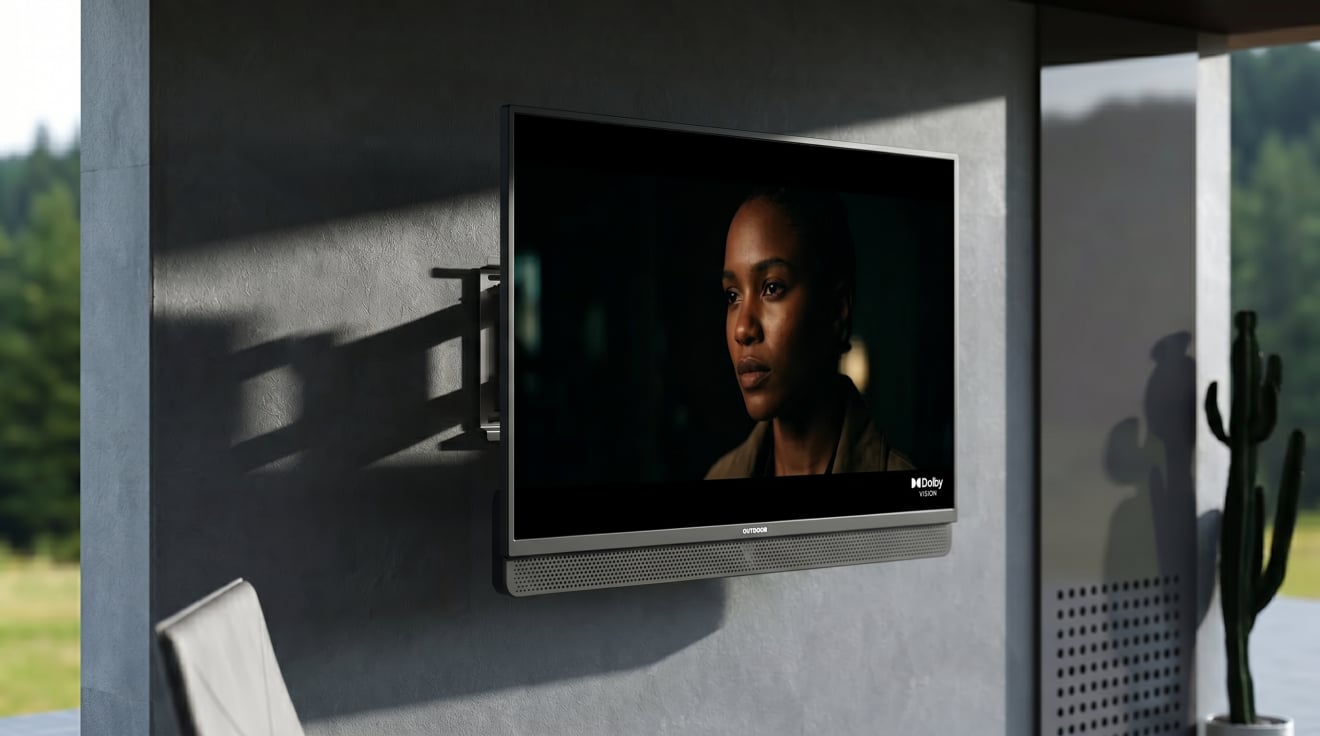
This step requires 2 people for any TV 43″ or larger.Screw the bracket's TV-side plates into the VESA holes on back of the TV (don't overtighten)
With a partner, lift TV and engage the TV-side plates into the wall-side mount bracket
Confirm secure engagement — most outdoor mounts have a locking mechanism, engage it fully
Perform a light push/pull test — the TV should not slip or shift
Weight of major 55″ outdoor TVs:
**BF-55ODTV**: ~58 lbs (typical)
Sylvox Deck Pro 2.0: 54.5 lbs
SunBrite Veranda 3: 47 lbs
Samsung Terrace: ~60 lbs
Ensure your mount's maximum weight rating exceeds the TV weight by at least 30% for safety margin.
Step 7: Connect and test
Plug in power — verify bootConnect HDMI / streaming device
Connect to Wi-Fi or ethernet
Test streaming (Netflix or YouTube)
Verify remote pairing
Test with TV cover in place (if using cover)
Step 8: Weatherproof all penetrations
After confirming the TV works, seal every wall penetration:Mount bolt holes — silicone caulk around the base
Cable entry holes — weatherproof rubber grommet + silicone
Seam between mount plate and wall — thin bead of silicone around perimeter
Any drill holes that missed — fill with silicone or spackle
This step prevents 80% of moisture-related long-term failures. Don't skip it.
Step 9: Install drip loops and cable management
Every cable entering the TV needs a drip loop:Cable hangs below the connector
Water naturally runs to the lowest point and drips off
No water can migrate back up into the connector
Common mistake: running cables upward to the TV (water tracks along the cable and into the connector, corroding internally).
Step 10: Long-term maintenance setup
Install TV cover for extended periods (winter, vacation)Buy surge protector rated for outdoor use
Schedule quarterly check (wipe seals, verify bolt tightness, test GFCI outlet)
Document warranty terms and serial numbers
Common mistakes that void warranty (or shorten life)
Mounting partial-sun-rated TV in direct full sun — voids warranty. BF-55ODTV is Partial Sun only; verify your installation.Skipping silicone seal on mount penetrations — water ingress damage not covered.
Using indoor mount outside — rust/failure within 12 months, not manufacturer's fault.
No drip loops on cables — moisture migration into connectors typically excluded.
Bolting into hollow wall without finding studs — TV falls, warranty void for physical damage.
Over-torquing VESA bolts — crushing TV mount threads voids warranty.
Using non-outdoor-rated HDMI cable — signal drops + potential moisture migration into TV HDMI port.
Mount location: Pros/cons by position
Above fireplace
✓ Centers the TV, minimalist aesthetic✗ Too high for seated viewing (35–45° neck strain)
✗ Heat from fireplace damages TV if not shielded
Requires articulating mount to tilt downEye-level on main patio wall
✓ Comfortable viewing angle✓ Direct-view, full brightness
✗ May block windows/access if mounted centered
Under pergola or overhang
✓ Reduces direct sun/rain exposure✓ Lower brightness requirement (partial sun adequate)
Ensure adequate ventilation if enclosedPool-adjacent wall
✓ Central entertainment zone Requires IP65 for pool splash (IP55 is borderline) Chlorine vapor degrades plastic chassis — all-metal BF-55ODTV is ideal hereFAQ
Can I mount a TV on brick without damaging it?
Yes — masonry anchors designed for brick don't damage the brick if properly installed. You'll leave pencil-sized holes in the brick that can be patched with matching mortar if the TV is ever removed.Do I need an electrician to install the GFCI outlet?
Most U.S. jurisdictions require a licensed electrician for new GFCI outlet installation, especially when running through exterior walls. Check local code. Some jurisdictions allow homeowner installation for single-family residential.What's the ideal viewing distance for a 55-inch outdoor TV?
8–15 feet for comfortable 4K viewing. At 12 feet, a 55-inch TV subtends a ~25° field of view — similar to a 65-inch TV at 15 feet indoors.Can I mount the TV directly on stucco without finding studs?
No. Stucco is thin and brittle — it will crack under TV weight. Always find studs behind the stucco and drill through to them.What if the TV wall is exposed to extreme weather (hail, wind)?
Use a fully articulating mount that retracts flat to the wall. Install a fitted TV cover. Consider a secondary weatherproof housing or shutters if hail is frequent.Can I use an indoor TV mount for my outdoor TV?
No — indoor mounts rust outdoors. The aesthetics also degrade (rust streaks on the wall). Outdoor mounts are worth the $100–$300 extra cost.
Verdict
Mounting an outdoor TV properly is a 2–4 hour project that prevents the majority of long-term failures. The critical steps: confirm VESA compatibility, choose an outdoor-rated mount matching your wall type, plan cable routing before drilling, seal all penetrations with silicone, and use drip loops on cables.The **ByteFree BF-55ODTV** ships with VESA 400×400 (universal outdoor mount compatible), clear installation documentation, and a 30-day return period to verify fitment before full installation.
→ Shop the ByteFree BF-55ODTV at bytefree.net — 55″ 4K, Dolby Vision + 30W Atmos, Google TV, IP55, all-metal chassis, $1,499.
Last edited:
