


EmmaStone
Member
I got an Vizio Quantum X 65, i prefer watching movies while my father always like to watch TV news, everytime i change the picture mode, my father feels uncomfortable to watch his favorite news. So here i wanna share the method of ADJUSTING THE PICTURE SETTINGS on Vizio Quantum X 65.
To adjust the picture settings:
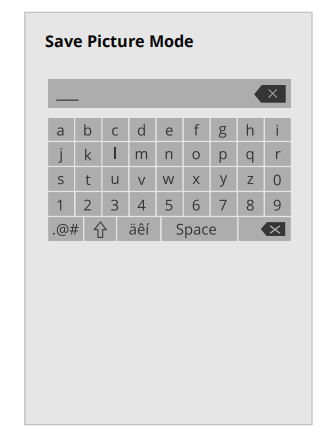
Saving a Custom Picture Mode
To adjust the picture settings:
Menu > Picture > Picture Mode
Use the Navigation buttons on the remote to highlight Picture Mode, then use the Left/Right Navigation buttons to change the picture mode:
• Standard — Sets the picture settings to the default settings.
• Calibrated — Sets the picture settings to values ideal for watching TV in a brightly-lit room.
• Calibrated Dark — Sets the picture settings to values ideal for watching TV in a dark room.
• Vivid — Sets the picture settings to values that produce a brighter, more vivid picture.
• Game — Reduces throughput delays and optimizes the picture settings for displaying game console output.
• Computer — Optimizes the picture settings for displaying computer output
Saving a Custom Picture Mode
Custom picture modes allow you to save a group of custom settings for various viewing conditions and video sources
Menu > Picture > Picture Mode Edit > Save Picture Mode > Enter a Name >Save
- Changes made while on any preset picture mode will add an asterisk on the top right corner of the preset mode.
- The custom picture mode is not automatically saved.


