


Catalogs Hide
"Outdoor TV" and "outdoor monitor" sound interchangeable in marketing language, but they're different products built for different applications. Buyers who confuse the two end up with products that don't match their use case — either over-spending on commercial monitor capability they don't need, or under-spec'ing TV capability they actually require for residential entertainment.
Here's the honest breakdown of what each product category actually means, when each one fits your install, and the price gap that matters more than buyers expect.
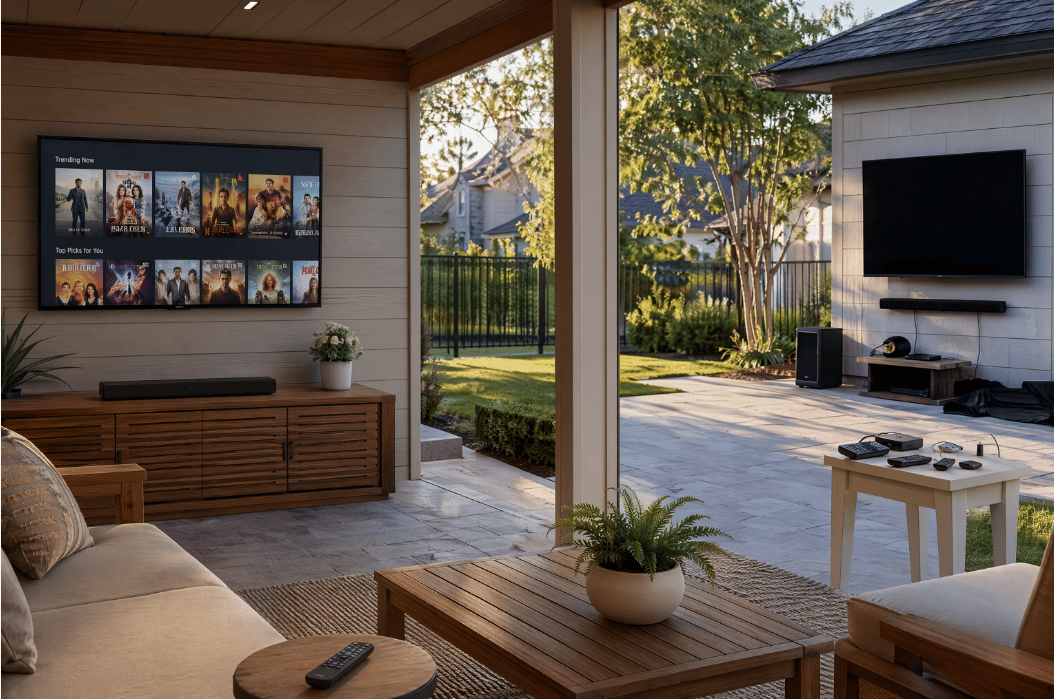
An outdoor TV is a residential entertainment product designed for outdoor installation:
The defining characteristic: outdoor TVs are full residential entertainment systems — they connect to streaming services, receive cable, have audio capability, and serve as standalone outdoor entertainment hubs.
An outdoor monitor is a commercial display product designed for displaying content from external sources:
The defining characteristic: outdoor monitors are display-only products — they require external sources, external audio, and external control to function as complete entertainment systems.
Beyond the marketing terms, real engineering differences matter:
Outdoor TV: 15-30W+ built-in speakers, often with Dolby Atmos hardware support. Functions as standalone audio source.
Outdoor monitor: Typically no built-in speakers, or basic compliance-grade speakers (1-3W) that don't function as real audio source. Requires external speaker system.
Practical impact: Outdoor monitors require additional $300-$1,500 audio investment to deliver functional sound. Outdoor TVs work as complete entertainment systems out of the box.
Outdoor TV: Native streaming apps (Netflix, Hulu, Disney+, Apple TV+, Prime, etc.). Connects to home Wi-Fi and streams directly without additional devices.
Outdoor monitor: No native streaming. Requires external streaming device (Apple TV $130, Roku Ultra $100) and HDMI source connection.
Practical impact: Outdoor monitors require additional $100-$200 streaming device investment plus the input configuration overhead.
Outdoor TV: Built-in ATSC tuner for over-the-air broadcasts. Works directly with antenna for free local broadcasts.
Outdoor monitor: No tuner. Requires external tuner box or cable/satellite receiver for broadcast content.
Practical impact: For households relying on over-the-air broadcasts (local news, network TV), outdoor monitors are significantly less convenient.
Outdoor TV: Consumer remote with smart features (voice control, app launching, source switching, volume control).
Outdoor monitor: Minimal remote, often basic source-switching only. Many require external control systems.
Practical impact: Outdoor monitors deliver poor day-to-day user experience for residential entertainment. Outdoor TVs work the way consumers expect.
For comparable display capability:
Practical impact: Outdoor monitors look cheaper on display alone but cost more for equivalent complete entertainment capability.
Use an outdoor TV when:
The vast majority of US residential outdoor entertainment use cases. Pergolas, covered patios, outdoor kitchens, pool decks, outdoor dining areas, screened porches. Outdoor TVs deliver complete residential entertainment capability without requiring additional components.
Restaurants, bars, hotel outdoor areas, vacation rental properties. Outdoor TVs handle these use cases adequately when duty cycle stays within residential rated capacity (8-14 hours daily).
Outdoor TVs deliver streaming app support and broadcast capability natively. Sports households can switch between cable broadcasts and streaming services without additional devices.
Outdoor TVs integrate with home smart ecosystems (Apple HomeKit, Google Home, Amazon Alexa) for voice control and automation.
For complete residential outdoor entertainment systems, outdoor TVs at $1,499-$1,899 deliver the full capability at lower total cost than outdoor monitor + audio + streaming + tuner combinations.
Use an outdoor monitor when:
QSR drive-through menu boards, gas station displays, retail storefront signage, outdoor advertising displays. These applications need display capability without entertainment features — the streaming apps and TV remote interface are irrelevant overhead.
Specialty marine monitors (designed for boat installations) and RV outdoor monitors are typically marketed as "outdoor monitors" rather than TVs. The specific application (limited indoor mounting space, marine-grade durability requirements, integration with marine electronics) calls for monitor-tier products.
Outdoor monitors connected to security camera systems for monitoring purposes. Display-only function without entertainment features is exactly what these applications need.
Manufacturing facility outdoor displays, transportation hub information displays, outdoor industrial control system displays. These applications typically use commercial monitors rather than residential outdoor TVs.
Applications where the display will receive input from multiple specialized sources (industrial cameras, control systems, specialized computers) where the simpler input configuration of a monitor outperforms a TV's smart platform.
Some residential buyers explore "outdoor monitor + components" approaches, hoping to save money or get specific capability. The math typically doesn't work:
The complete outdoor TV approach delivers better integration, simpler installation, and lower total cost for equivalent residential entertainment capability.
When the hybrid approach makes sense: Premium installations where audio investment ($1,200+ outdoor surround system) and dedicated streaming device matter for picture/audio quality. At premium tier ($3,500+ total), separate components can deliver better quality than integrated TV products.
For typical residential mid-tier budgets, complete outdoor TVs deliver better value than monitor-based assembly.
The most common mistake — choosing "outdoor monitor" thinking it's the same as outdoor TV at lower cost. Then discovering the missing audio, missing streaming apps, missing tuner, and complex setup requirements push total cost above outdoor TV alternatives.
Cost of this mistake: $500-$1,500 additional components plus user experience friction.
Fix: Match product category to use case. Residential entertainment = outdoor TV. Display-only commercial applications = outdoor monitor.
Less common but happens — buying full outdoor TV for an application that just needs display (commercial signage, security camera display). The smart TV platform, built-in audio, and tuner capability sit unused but were paid for.
Cost of this mistake: $300-$700 of unused capability per unit, multiplied by deployment scale.
Fix: For pure display applications, choose outdoor monitor and skip the TV capability that won't be used.
Some brands (Furrion, ViewSonic) make both outdoor TVs and outdoor monitors with similar appearance and branding. Buyers assume "Furrion outdoor" = outdoor TV when the specific product is actually outdoor monitor or vice versa.
Fix: Verify the specific model includes (or excludes) smart platform, tuner, built-in speakers — not just trust the brand.
Buyers see outdoor monitor pricing ($800-$1,500 for 55-inch) and assume that's the total. Adding adequate outdoor audio for the install adds $400-$1,200 — often making monitor-based approach more expensive than equivalent outdoor TV.
Fix: Calculate total system cost (monitor + audio + streaming device + cables) before comparing against integrated outdoor TV pricing.
Outdoor TVs are complete residential entertainment systems with built-in speakers (15-30W typical), smart streaming apps, ATSC tuner for broadcasts, and consumer remote control. Outdoor monitors are display-only products requiring external audio system, external streaming devices, and often external tuner — they're designed for commercial signage, security, marine, and specialty applications rather than residential entertainment.
Technically yes, with additional components. You'd need to add outdoor audio ($400-$1,500), streaming device ($100-$200), possibly external tuner ($30-$100). Total cost for equivalent functionality usually exceeds buying an outdoor TV from the start. For residential entertainment use, outdoor TVs deliver better value than monitor-based assemblies.
Outdoor monitors don't include built-in speakers, smart platforms, tuners, or consumer remote interfaces. The lower base price reflects the missing components, not better engineering or value. Total cost for equivalent complete entertainment system is typically similar or higher with monitor-based assembly.
For warm-climate partial-sun residential installations — the most common US scenario — the ByteFree BF-55ODTV at $1,499 combines 1,500-nit brightness, Dolby Vision support, 30W hardware Dolby Atmos audio, Google TV platform, and all-metal construction at the mid-tier price floor. For full-sun premium installations, Sylvox Pool Pro 2.0+ ($2,399) or Samsung The Terrace LST7D ($3,497+) deliver appropriate spec match.
For most restaurant outdoor seating installations, outdoor TVs deliver the right capability at the right price. The smart streaming apps support sports broadcasts and music streaming, the built-in audio handles ambient entertainment, and the consumer remote interface allows staff to manage easily. Outdoor monitors are appropriate primarily for commercial signage (menu boards, advertising) rather than entertainment displays.
Outdoor TVs and outdoor monitors are different product categories serving different applications. The terminology confusion creates buying decisions that don't match use cases.
Use outdoor TV when:
Use outdoor monitor when:
For typical US residential outdoor entertainment in 2026, complete outdoor TVs deliver better total value than monitor-based component assemblies. The ByteFree BF-55ODTV at $1,499 provides complete residential outdoor entertainment capability — 1,500-nit brightness, Dolby Vision HDR, Google TV streaming platform, 30W Dolby Atmos audio, ATSC tuner, full consumer remote interface — at lower total cost than equivalent monitor-plus-components assembly.
Don't buy outdoor monitors for residential entertainment. Don't buy outdoor TVs for pure commercial signage. Match the product category to the specific application requirements, not to similar-sounding marketing terms.
Related reading:
Here's the honest breakdown of what each product category actually means, when each one fits your install, and the price gap that matters more than buyers expect.
What "Outdoor TV" Actually Means
An outdoor TV is a residential entertainment product designed for outdoor installation:
- Brightness: 700-2,500 nits (most residential use)
- Smart platform: Google TV, Tizen, Android TV, webOS (consumer streaming apps)
- Built-in tuner: Yes (over-the-air broadcast, cable input)
- Audio: Built-in speakers (15-30W with Dolby Atmos in mid/premium tiers)
- HDMI inputs: Multiple (3-4 typical) for consumer source devices
- Remote control: Consumer TV remote with smart features
- Use case: Residential entertainment, hospitality, light commercial
- Lifespan: 7-10 years residential duty cycle
- Examples: ByteFree BF-55ODTV ($1,499), Sylvox DeckPro 2.0+ ($1,599), Samsung The Terrace LST7D ($3,497+)
The defining characteristic: outdoor TVs are full residential entertainment systems — they connect to streaming services, receive cable, have audio capability, and serve as standalone outdoor entertainment hubs.
What "Outdoor Monitor" Actually Means
An outdoor monitor is a commercial display product designed for displaying content from external sources:
- Brightness: 700-5,000+ nits (often higher than residential TVs)
- Smart platform: Typically none, or commercial signage software
- Built-in tuner: No (relies entirely on external sources)
- Audio: Often no built-in speakers (audio is separate system)
- HDMI inputs: Usually 1-2 (sometimes DisplayPort for commercial applications)
- Remote control: Minimal, often controlled via external system
- Use case: Commercial signage, security camera displays, surveillance, marina/RV displays, specialty commercial applications
- Lifespan: Varies dramatically by commercial application duty cycle
- Examples: Various commercial brands (Peerless, ViewSonic CDE outdoor series), specialty marine/RV monitors
The defining characteristic: outdoor monitors are display-only products — they require external sources, external audio, and external control to function as complete entertainment systems.
The Critical Differences
Beyond the marketing terms, real engineering differences matter:
Audio Capability
Outdoor TV: 15-30W+ built-in speakers, often with Dolby Atmos hardware support. Functions as standalone audio source.
Outdoor monitor: Typically no built-in speakers, or basic compliance-grade speakers (1-3W) that don't function as real audio source. Requires external speaker system.
Practical impact: Outdoor monitors require additional $300-$1,500 audio investment to deliver functional sound. Outdoor TVs work as complete entertainment systems out of the box.
Smart Streaming Capability
Outdoor TV: Native streaming apps (Netflix, Hulu, Disney+, Apple TV+, Prime, etc.). Connects to home Wi-Fi and streams directly without additional devices.
Outdoor monitor: No native streaming. Requires external streaming device (Apple TV $130, Roku Ultra $100) and HDMI source connection.
Practical impact: Outdoor monitors require additional $100-$200 streaming device investment plus the input configuration overhead.
Tuner Capability
Outdoor TV: Built-in ATSC tuner for over-the-air broadcasts. Works directly with antenna for free local broadcasts.
Outdoor monitor: No tuner. Requires external tuner box or cable/satellite receiver for broadcast content.
Practical impact: For households relying on over-the-air broadcasts (local news, network TV), outdoor monitors are significantly less convenient.
Remote Control and User Experience
Outdoor TV: Consumer remote with smart features (voice control, app launching, source switching, volume control).
Outdoor monitor: Minimal remote, often basic source-switching only. Many require external control systems.
Practical impact: Outdoor monitors deliver poor day-to-day user experience for residential entertainment. Outdoor TVs work the way consumers expect.
Price Comparison
For comparable display capability:
| Product | Type | Price Range |
|---|---|---|
| Outdoor TV (mid-tier) | Complete system | $1,499-$1,899 |
| Outdoor monitor + audio + streaming device | Equivalent capability | $1,800-$3,500 |
Practical impact: Outdoor monitors look cheaper on display alone but cost more for equivalent complete entertainment capability.
When Outdoor TV Fits Your Install
Use an outdoor TV when:
Residential Outdoor Entertainment
The vast majority of US residential outdoor entertainment use cases. Pergolas, covered patios, outdoor kitchens, pool decks, outdoor dining areas, screened porches. Outdoor TVs deliver complete residential entertainment capability without requiring additional components.
Hospitality and Light Commercial Use
Restaurants, bars, hotel outdoor areas, vacation rental properties. Outdoor TVs handle these use cases adequately when duty cycle stays within residential rated capacity (8-14 hours daily).
Sports and Streaming-Primary Households
Outdoor TVs deliver streaming app support and broadcast capability natively. Sports households can switch between cable broadcasts and streaming services without additional devices.
Smart Home Integration
Outdoor TVs integrate with home smart ecosystems (Apple HomeKit, Google Home, Amazon Alexa) for voice control and automation.
Budget-Conscious Complete Systems
For complete residential outdoor entertainment systems, outdoor TVs at $1,499-$1,899 deliver the full capability at lower total cost than outdoor monitor + audio + streaming + tuner combinations.
When Outdoor Monitor Fits Your Install
Use an outdoor monitor when:
Commercial Signage Applications
QSR drive-through menu boards, gas station displays, retail storefront signage, outdoor advertising displays. These applications need display capability without entertainment features — the streaming apps and TV remote interface are irrelevant overhead.
Marine and RV Applications
Specialty marine monitors (designed for boat installations) and RV outdoor monitors are typically marketed as "outdoor monitors" rather than TVs. The specific application (limited indoor mounting space, marine-grade durability requirements, integration with marine electronics) calls for monitor-tier products.
Security Camera Display
Outdoor monitors connected to security camera systems for monitoring purposes. Display-only function without entertainment features is exactly what these applications need.
Industrial and Specialty Commercial
Manufacturing facility outdoor displays, transportation hub information displays, outdoor industrial control system displays. These applications typically use commercial monitors rather than residential outdoor TVs.
Multi-Source Industrial Display Systems
Applications where the display will receive input from multiple specialized sources (industrial cameras, control systems, specialized computers) where the simpler input configuration of a monitor outperforms a TV's smart platform.
The Hybrid Approach Some Buyers Choose
Some residential buyers explore "outdoor monitor + components" approaches, hoping to save money or get specific capability. The math typically doesn't work:
Outdoor Monitor + Soundbar + Streaming Device
- Outdoor monitor: $1,200-$2,500
- Outdoor-rated soundbar: $400-$800
- Apple TV 4K or Roku Ultra: $100-$200
- HDMI cable and setup: $50-$100
- Total: $1,750-$3,600
Equivalent Outdoor TV
- Mid-tier outdoor TV (ByteFree BF-55ODTV, Sylvox DeckPro 2.0+): $1,499-$1,599
- Total: $1,499-$1,599
The complete outdoor TV approach delivers better integration, simpler installation, and lower total cost for equivalent residential entertainment capability.
When the hybrid approach makes sense: Premium installations where audio investment ($1,200+ outdoor surround system) and dedicated streaming device matter for picture/audio quality. At premium tier ($3,500+ total), separate components can deliver better quality than integrated TV products.
For typical residential mid-tier budgets, complete outdoor TVs deliver better value than monitor-based assembly.
What Most Buyers Get Wrong
Buying Outdoor Monitor for Residential Use
The most common mistake — choosing "outdoor monitor" thinking it's the same as outdoor TV at lower cost. Then discovering the missing audio, missing streaming apps, missing tuner, and complex setup requirements push total cost above outdoor TV alternatives.
Cost of this mistake: $500-$1,500 additional components plus user experience friction.
Fix: Match product category to use case. Residential entertainment = outdoor TV. Display-only commercial applications = outdoor monitor.
Buying Outdoor TV for Pure Display Application
Less common but happens — buying full outdoor TV for an application that just needs display (commercial signage, security camera display). The smart TV platform, built-in audio, and tuner capability sit unused but were paid for.
Cost of this mistake: $300-$700 of unused capability per unit, multiplied by deployment scale.
Fix: For pure display applications, choose outdoor monitor and skip the TV capability that won't be used.
Confusing Brand Categories
Some brands (Furrion, ViewSonic) make both outdoor TVs and outdoor monitors with similar appearance and branding. Buyers assume "Furrion outdoor" = outdoor TV when the specific product is actually outdoor monitor or vice versa.
Fix: Verify the specific model includes (or excludes) smart platform, tuner, built-in speakers — not just trust the brand.
Underestimating Audio Investment for Monitor-Based Approach
Buyers see outdoor monitor pricing ($800-$1,500 for 55-inch) and assume that's the total. Adding adequate outdoor audio for the install adds $400-$1,200 — often making monitor-based approach more expensive than equivalent outdoor TV.
Fix: Calculate total system cost (monitor + audio + streaming device + cables) before comparing against integrated outdoor TV pricing.
Frequently Asked Questions
What's the difference between outdoor TV and outdoor monitor?
Outdoor TVs are complete residential entertainment systems with built-in speakers (15-30W typical), smart streaming apps, ATSC tuner for broadcasts, and consumer remote control. Outdoor monitors are display-only products requiring external audio system, external streaming devices, and often external tuner — they're designed for commercial signage, security, marine, and specialty applications rather than residential entertainment.
Can I use an outdoor monitor as a TV?
Technically yes, with additional components. You'd need to add outdoor audio ($400-$1,500), streaming device ($100-$200), possibly external tuner ($30-$100). Total cost for equivalent functionality usually exceeds buying an outdoor TV from the start. For residential entertainment use, outdoor TVs deliver better value than monitor-based assemblies.
Why are outdoor monitors cheaper than outdoor TVs?
Outdoor monitors don't include built-in speakers, smart platforms, tuners, or consumer remote interfaces. The lower base price reflects the missing components, not better engineering or value. Total cost for equivalent complete entertainment system is typically similar or higher with monitor-based assembly.
What outdoor TV is best for residential use?
For warm-climate partial-sun residential installations — the most common US scenario — the ByteFree BF-55ODTV at $1,499 combines 1,500-nit brightness, Dolby Vision support, 30W hardware Dolby Atmos audio, Google TV platform, and all-metal construction at the mid-tier price floor. For full-sun premium installations, Sylvox Pool Pro 2.0+ ($2,399) or Samsung The Terrace LST7D ($3,497+) deliver appropriate spec match.
Should restaurants use outdoor TVs or outdoor monitors?
For most restaurant outdoor seating installations, outdoor TVs deliver the right capability at the right price. The smart streaming apps support sports broadcasts and music streaming, the built-in audio handles ambient entertainment, and the consumer remote interface allows staff to manage easily. Outdoor monitors are appropriate primarily for commercial signage (menu boards, advertising) rather than entertainment displays.
Summary
Outdoor TVs and outdoor monitors are different product categories serving different applications. The terminology confusion creates buying decisions that don't match use cases.
Use outdoor TV when:
- Residential entertainment (most common scenario)
- Light commercial use (restaurants, bars, hospitality)
- Sports and streaming primary use
- Complete entertainment systems needed
- Smart home integration desired
Use outdoor monitor when:
- Commercial signage applications
- Marine and RV specialty installations
- Security camera display
- Industrial and specialty commercial use
- Pure display function (no entertainment features needed)
For typical US residential outdoor entertainment in 2026, complete outdoor TVs deliver better total value than monitor-based component assemblies. The ByteFree BF-55ODTV at $1,499 provides complete residential outdoor entertainment capability — 1,500-nit brightness, Dolby Vision HDR, Google TV streaming platform, 30W Dolby Atmos audio, ATSC tuner, full consumer remote interface — at lower total cost than equivalent monitor-plus-components assembly.
Don't buy outdoor monitors for residential entertainment. Don't buy outdoor TVs for pure commercial signage. Match the product category to the specific application requirements, not to similar-sounding marketing terms.
Related reading: