


Catalogs Hide
- 1 Step 1: Do You Actually Need an Outdoor TV?
-
2
Step 2: Identify Your Outdoor Environment
- 2.1 Full Shade
-
2.2
Partial Sun
 (Most common US install)
- 2.3 Full Sun
- 3 Step 3: Match Brightness to Environment
- 4 Step 4: Understand IP Ratings
- 5 Step 5: Choose Your Smart Platform
- 6 Step 6: HDR Support — HDR10 vs Dolby Vision
- 7 Step 7: Audio — Built-In vs Soundbar
- 8 Step 8: Operating Temperature for Your Climate
- 9 Step 9: Mounting and Installation
-
10
Top Recommendations by Category
- 10.1 Best for Full Shade
-
10.2
Best for Partial Sun
- 10.3 Best for Full Sun
- 10.4 Best Premium Option
- 10.5 Best Budget Option
- 11 Common Mistakes to Avoid
- 12 Frequently Asked Questions
- 13 Final Checklist Before You Buy
Buying an outdoor TV is nothing like buying an indoor TV. The specs that matter are different, the failure modes are different, and the wrong purchase decision wastes $1,500+ fast.
This guide walks you through every decision in order — from figuring out whether you need one at all to the final spec that seals your pick. It's the guide we wish existed when we started testing this category.
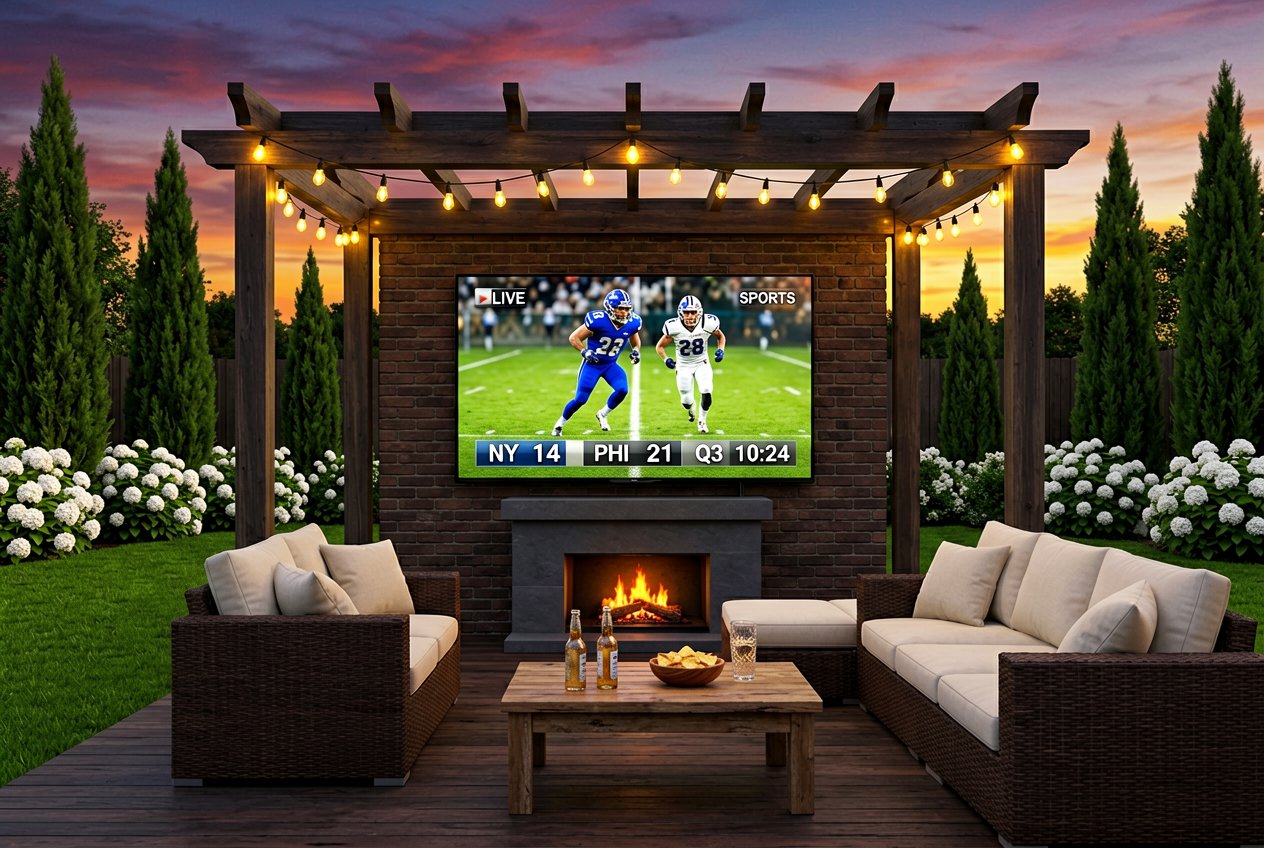
Start here, because the honest answer is that not every homeowner does.
You need a dedicated outdoor TV if:
You can skip it if:
For evening-only, dry-climate, enclosed porch use — a regular indoor TV under cover can last 2–3 years. A $400 battery projector handles the occasional backyard movie night. The case for a dedicated outdoor TV gets strong when daytime viewing, humidity, or long-term reliability enters the equation.
This single step determines your required brightness — which drives the rest of your budget.
What it looks like: Solid roof (not slatted), enclosed on most sides, no direct sun reaches the TV at any time of day, any season. Screened porches, roofed covered patios with solid ceiling, garages.
Brightness needed: 500–700 nits Price range: $900–$1,299 Watch out for: Installs that look shaded in spring but get direct sun in summer when the sun angle changes.
Partial Sun
What it looks like: Slatted pergola roof, covered deck with open sides, outdoor kitchen under an overhang, patio that gets 1–3 hours of direct or indirect afternoon sun.
Brightness needed: 1,000–1,500 nits Price range: $1,199–$2,299 Watch out for: Under-buying brightness. Most $1,599 outdoor TVs ship with 1,000-nit panels — marginal for western-facing afternoon exposure. Target 1,500 nits for real-world partial-sun performance.
What it looks like: Open pool deck, south or west-facing wall with no overhead cover, rooftop patio, any install where direct sun hits the screen for multiple hours daily.
Brightness needed: 2,000+ nits Price range: $2,399–$7,000+ Watch out for: This tier is genuinely expensive. If budget is constrained, consider relocating the install to a shadier spot rather than under-buying brightness.
Brightness is the spec that most directly determines whether your outdoor TV looks good or looks washed out. Here's the plain-English version:
The most common purchasing error in 2026: buying a TV rated "partial sun" that ships with 1,000 nits, then mounting it on a west-facing patio that gets strong afternoon light. The TV washes out at 3 PM and you've spent $1,599 on a screen you stop using during the hours you're most likely to be outdoors.
The brands offering genuine 1,500 nits at the $1,500 price tier are limited. The ByteFree BF-55ODTV is currently the only 55-inch option hitting this spec at this price.
IP (Ingress Protection) ratings measure weatherproofing. For outdoor TVs, two digits matter: dust protection and water protection.
What you need to know:
The bottom line: If a TV doesn't reach IP55, it's not a serious outdoor TV. Any credible model at $1,000+ should carry IP55. Don't pay a meaningful premium for IP56 over IP55 — the real-world difference for residential use is negligible.
All modern outdoor TVs run some version of a smart platform. Your choice affects the app ecosystem, voice control, and update longevity.
Google TV — The best ecosystem. Full Google Play Store, Chromecast built-in, Google Assistant, consistent software updates. Used by ByteFree BF-55ODTV, Sylvox DeckPro series, Sylvox Pool Pro series.
Android TV — Google's previous generation platform, still widely used. Smaller app catalog than Google TV, similar functionality. Used by SunBrite Veranda 3.
webOS — LG's platform used by Furrion and Peerless-AV. Capable but narrower ecosystem than Google TV. No Google Assistant — uses its own voice system.
Tizen — Samsung's platform on The Terrace. Excellent execution but ecosystem is Samsung-centric.
XUMO TV / Other — Budget platforms with limited app availability. Found on Element and other entry-level outdoor TVs. Functional but limiting.
For most buyers: Google TV is the right answer. The app ecosystem, Chromecast functionality, and Google Assistant integration are meaningfully better than alternatives for everyday residential use.
HDR (High Dynamic Range) improves picture quality by expanding the range of brightness and color. Two major formats exist:
HDR10 — The open standard. Supported by every outdoor TV. Uses static metadata — one brightness profile for the whole movie.
Dolby Vision — The premium format. Uses dynamic metadata — adjusts brightness and color scene-by-scene. Visibly improves streaming content from Netflix, Disney+, Apple TV+, and Max. Costs manufacturers a licensing fee.
The outdoor TV market has an HDR gap: most models at $1,500–$2,000 stop at HDR10, even when indoor TVs at $500 include Dolby Vision. The manufacturers' logic is that outdoor buyers historically cared more about weatherproofing than HDR quality.
That logic is changing. If you watch streaming content outdoors — and most buyers do — Dolby Vision's dynamic metadata makes a real visible difference in partial-sun conditions, where ambient light makes dark scenes harder to read. HDR10's static mapping has no way to compensate.
Current Dolby Vision outdoor TVs at $1,500–$2,000 tier:
Everything else in the tier is HDR10 only.
Most outdoor TVs include speakers. Most outdoor TV speakers are adequate for ambient background audio and barely adequate for serious movie watching.
Built-in speaker reality check:
When to add an outdoor soundbar:
Yamaha, Sonos, and Polk Audio all make weather-resistant outdoor soundbars. Budget $300–$800 for a quality addition. A good outdoor soundbar transforms the experience more than any TV spec upgrade.
Every outdoor TV has an operating temperature range. Exceeding it — especially in cold weather — can damage panel electronics.
What the ranges mean in practice:
If you're in a cold-climate region and plan to leave the TV outdoors year-round, the operating temperature floor matters significantly. A 32°F minimum means storing the TV during winter or risking damage from cold starts.
VESA standard: Nearly all 55-inch outdoor TVs use VESA 600×400mm mounting holes. This is the universal standard — any VESA 600×400 compatible wall mount works.
Hardware: Outdoor-rated mounts should use stainless steel or zinc-coated hardware. Avoid aluminum hardware in coastal installs — salt air causes galvanic corrosion between aluminum and steel faster than you'd expect.
Two-person job: A 55-inch outdoor TV typically weighs 55–65 lbs. Always install with two people. Overtightening M8 mounting screws can strip the threaded inserts in the TV back panel.
Cable management: Use outdoor-rated conduit or weatherproof cable covers for any runs along exterior walls. Don't rely on interior wall fishing for outdoor cable paths without proper weatherproofing at penetration points.
Sylvox Patio Series ($1,199) or Element EP500AE55C ($899) — You don't need 1,500 nits for shade. Save the money and put it toward a soundbar.
Best for Partial Sun
ByteFree BF-55ODTV ($1,499) — 1,500 nits, Dolby Vision, Google TV. The best spec-to-value option for the most common US install environment.
SunBrite Cinema ($2,999) or Sylvox Pool Pro 2.0+ ($2,399) — 2,000 nits, full-sun rated. Minimum required for open pool decks and uncovered installs.
Samsung The Terrace LST9D ($6,499+) — The best outdoor TV made, full stop. For budgets where it makes sense.
Element EP500AE55C ($899) — Real IP55, shade-only, limited but functional. For screened-in porches on tight budgets.
Buying a shade-rated TV for a partial-sun install. 700-nit TVs in afternoon sun look like dark rectangles. Always match brightness to your environment.
Installing without accounting for seasonal sun angle changes. A wall that's shaded in winter may get direct afternoon sun in summer when the sun is higher. Observe your install location across seasons before committing.
Using a regular TV outdoors "for a while." One humid summer in Florida kills the panel electronics. It's not a gradual decline — it's a sudden failure, usually outside the return window.
Over-buying brightness for a shaded install. A 2,000-nit TV in a screened porch is running harder than it needs to, costing more, and degrading the panel faster. Match the spec to the install.
Ignoring the operating temperature. If you're in New England and you plan to leave the TV outside in January, verify the minimum operating temperature before you buy.
Not practically. Indoor TVs peak at 250–400 nits — invisible in any outdoor light condition. They also lack weatherproofing, UV protection, and thermal management for outdoor temperature swings. In humid climates, moisture kills the panel electronics within months. Even in dry climates, the brightness problem alone makes outdoor use impractical during daylight.
The primary difference is brightness. Full-sun TVs deliver 2,000+ nits to overcome direct ambient sunlight. Partial-sun TVs deliver 1,000–1,500 nits for environments with filtered or indirect light. Full-sun TVs also typically have higher IP ratings and more aggressive thermal management. They're also $1,000–$5,000 more expensive — which is why identifying your actual light environment before buying matters.
Under normal residential use, a quality outdoor TV should last 7–10 years. Panel lifetime ratings are typically published at 50,000 hours, which equates to roughly 8.5 years at 16 hours/day. Actual longevity depends heavily on climate, sun exposure, and whether weatherproofing is maintained. Using a protective cover during extended non-use periods extends lifespan.
IP55-rated outdoor TVs don't require a cover to survive rain. However, using a weatherproof cover during extended off-season periods (winter storage, multi-week vacations) significantly extends panel and electronics lifespan. Cover cost ($30–$80) is trivially small relative to TV replacement cost.
55 inches is the sweet spot for most residential patios: large enough for group viewing, small enough that mounting logistics are manageable. Viewing distance matters more outdoors than in — outdoor seating is often 12–20 feet from the TV, where a 55-inch screen is appropriate. For very large outdoor spaces (pool decks over 400 sq ft, outdoor dining for 10+ guests), consider 65 inches.
Related reading:
This guide walks you through every decision in order — from figuring out whether you need one at all to the final spec that seals your pick. It's the guide we wish existed when we started testing this category.
Step 1: Do You Actually Need an Outdoor TV?
Start here, because the honest answer is that not every homeowner does.
You need a dedicated outdoor TV if:
- You'll use it during daytime hours with any ambient light
- You live in a humid climate (Florida, Gulf Coast, coastal California, Pacific Northwest)
- You want more than one or two seasons of reliable use
- Your budget is $1,000+
You can skip it if:
- You only want it for occasional nighttime use in a dry climate
- Your space is fully enclosed (screened porch with walls, temperature-controlled)
- Your budget is under $700
For evening-only, dry-climate, enclosed porch use — a regular indoor TV under cover can last 2–3 years. A $400 battery projector handles the occasional backyard movie night. The case for a dedicated outdoor TV gets strong when daytime viewing, humidity, or long-term reliability enters the equation.
Step 2: Identify Your Outdoor Environment
This single step determines your required brightness — which drives the rest of your budget.
Full Shade
What it looks like: Solid roof (not slatted), enclosed on most sides, no direct sun reaches the TV at any time of day, any season. Screened porches, roofed covered patios with solid ceiling, garages.
Brightness needed: 500–700 nits Price range: $900–$1,299 Watch out for: Installs that look shaded in spring but get direct sun in summer when the sun angle changes.
Partial Sun (Most common US install)
What it looks like: Slatted pergola roof, covered deck with open sides, outdoor kitchen under an overhang, patio that gets 1–3 hours of direct or indirect afternoon sun.
Brightness needed: 1,000–1,500 nits Price range: $1,199–$2,299 Watch out for: Under-buying brightness. Most $1,599 outdoor TVs ship with 1,000-nit panels — marginal for western-facing afternoon exposure. Target 1,500 nits for real-world partial-sun performance.
Full Sun
What it looks like: Open pool deck, south or west-facing wall with no overhead cover, rooftop patio, any install where direct sun hits the screen for multiple hours daily.
Brightness needed: 2,000+ nits Price range: $2,399–$7,000+ Watch out for: This tier is genuinely expensive. If budget is constrained, consider relocating the install to a shadier spot rather than under-buying brightness.
Step 3: Match Brightness to Environment
Brightness is the spec that most directly determines whether your outdoor TV looks good or looks washed out. Here's the plain-English version:
| Nit rating | Real-world performance |
|---|---|
| 500–700 nits | Full shade only. Washes out even in indirect afternoon light |
| 1,000 nits | Shade to light partial sun. Struggles in strong afternoon ambient |
| 1,500 nits | Partial sun sweet spot. Handles most residential pergola/patio installs |
| 2,000 nits | Strong partial sun to full sun. Necessary for pool decks, open installations |
| 2,500 nits | Full sun, direct exposure, high-latitude summer sun. Premium tier |
The most common purchasing error in 2026: buying a TV rated "partial sun" that ships with 1,000 nits, then mounting it on a west-facing patio that gets strong afternoon light. The TV washes out at 3 PM and you've spent $1,599 on a screen you stop using during the hours you're most likely to be outdoors.
The brands offering genuine 1,500 nits at the $1,500 price tier are limited. The ByteFree BF-55ODTV is currently the only 55-inch option hitting this spec at this price.
Step 4: Understand IP Ratings
IP (Ingress Protection) ratings measure weatherproofing. For outdoor TVs, two digits matter: dust protection and water protection.
What you need to know:
- IP54 — splash protection. Fine for fully covered installs, minimal pool spray. Lower than the industry standard.
- IP55 — water jet protection from any direction. The industry standard for outdoor TVs. Handles rain, humidity, pool splash, and garden hose rinsing. Sufficient for 95% of US residential installs.
- IP65 — dust-tight + water jet protection. Worth considering for desert climates (Phoenix, Las Vegas) where dust is the primary threat.
- IP66 — heavy water jet protection. Rarely necessary residentially. Found on Furrion Aurora Full-Sun Pro and some commercial-grade units.
The bottom line: If a TV doesn't reach IP55, it's not a serious outdoor TV. Any credible model at $1,000+ should carry IP55. Don't pay a meaningful premium for IP56 over IP55 — the real-world difference for residential use is negligible.
Step 5: Choose Your Smart Platform
All modern outdoor TVs run some version of a smart platform. Your choice affects the app ecosystem, voice control, and update longevity.
Google TV — The best ecosystem. Full Google Play Store, Chromecast built-in, Google Assistant, consistent software updates. Used by ByteFree BF-55ODTV, Sylvox DeckPro series, Sylvox Pool Pro series.
Android TV — Google's previous generation platform, still widely used. Smaller app catalog than Google TV, similar functionality. Used by SunBrite Veranda 3.
webOS — LG's platform used by Furrion and Peerless-AV. Capable but narrower ecosystem than Google TV. No Google Assistant — uses its own voice system.
Tizen — Samsung's platform on The Terrace. Excellent execution but ecosystem is Samsung-centric.
XUMO TV / Other — Budget platforms with limited app availability. Found on Element and other entry-level outdoor TVs. Functional but limiting.
For most buyers: Google TV is the right answer. The app ecosystem, Chromecast functionality, and Google Assistant integration are meaningfully better than alternatives for everyday residential use.
Step 6: HDR Support — HDR10 vs Dolby Vision
HDR (High Dynamic Range) improves picture quality by expanding the range of brightness and color. Two major formats exist:
HDR10 — The open standard. Supported by every outdoor TV. Uses static metadata — one brightness profile for the whole movie.
Dolby Vision — The premium format. Uses dynamic metadata — adjusts brightness and color scene-by-scene. Visibly improves streaming content from Netflix, Disney+, Apple TV+, and Max. Costs manufacturers a licensing fee.
The outdoor TV market has an HDR gap: most models at $1,500–$2,000 stop at HDR10, even when indoor TVs at $500 include Dolby Vision. The manufacturers' logic is that outdoor buyers historically cared more about weatherproofing than HDR quality.
That logic is changing. If you watch streaming content outdoors — and most buyers do — Dolby Vision's dynamic metadata makes a real visible difference in partial-sun conditions, where ambient light makes dark scenes harder to read. HDR10's static mapping has no way to compensate.
Current Dolby Vision outdoor TVs at $1,500–$2,000 tier:
- ByteFree BF-55ODTV ($1,499) — only model under $1,600
- SunBrite Veranda 3 ($1,699)
Everything else in the tier is HDR10 only.
Step 7: Audio — Built-In vs Soundbar
Most outdoor TVs include speakers. Most outdoor TV speakers are adequate for ambient background audio and barely adequate for serious movie watching.
Built-in speaker reality check:
- 15W × 2 (30W total) — the most common spec. Reasonable for a 12×16 patio, underpowered for a larger outdoor space
- 30W × 2 — found on premium models like SunBrite Cinema. Meaningfully better
- Dolby Atmos decoder — present in many models, but 15W speakers can't deliver real spatial audio. It's a logo, not an experience
When to add an outdoor soundbar:
- Your patio is larger than 200 square feet
- You're regularly watching movies or sports with guests
- You're mounting the TV more than 20 feet from seating
Yamaha, Sonos, and Polk Audio all make weather-resistant outdoor soundbars. Budget $300–$800 for a quality addition. A good outdoor soundbar transforms the experience more than any TV spec upgrade.
Step 8: Operating Temperature for Your Climate
Every outdoor TV has an operating temperature range. Exceeding it — especially in cold weather — can damage panel electronics.
What the ranges mean in practice:
- 0°C / 32°F floor (ByteFree BF-55ODTV, Samsung Terrace LST9D): Appropriate for Florida, Texas, California, the Gulf Coast, and most warm-climate US markets. Not suitable for Minnesota winters or Canadian climates.
- -30°C / -22°F floor (Sylvox DeckPro, SunBrite Veranda 3, Furrion Aurora): Rated for year-round use in cold-climate markets including most of the northern US and Canada.
If you're in a cold-climate region and plan to leave the TV outdoors year-round, the operating temperature floor matters significantly. A 32°F minimum means storing the TV during winter or risking damage from cold starts.
Step 9: Mounting and Installation
VESA standard: Nearly all 55-inch outdoor TVs use VESA 600×400mm mounting holes. This is the universal standard — any VESA 600×400 compatible wall mount works.
Hardware: Outdoor-rated mounts should use stainless steel or zinc-coated hardware. Avoid aluminum hardware in coastal installs — salt air causes galvanic corrosion between aluminum and steel faster than you'd expect.
Two-person job: A 55-inch outdoor TV typically weighs 55–65 lbs. Always install with two people. Overtightening M8 mounting screws can strip the threaded inserts in the TV back panel.
Cable management: Use outdoor-rated conduit or weatherproof cable covers for any runs along exterior walls. Don't rely on interior wall fishing for outdoor cable paths without proper weatherproofing at penetration points.
Top Recommendations by Category
Best for Full Shade
Sylvox Patio Series ($1,199) or Element EP500AE55C ($899) — You don't need 1,500 nits for shade. Save the money and put it toward a soundbar.
Best for Partial Sun
ByteFree BF-55ODTV ($1,499) — 1,500 nits, Dolby Vision, Google TV. The best spec-to-value option for the most common US install environment.
Best for Full Sun
SunBrite Cinema ($2,999) or Sylvox Pool Pro 2.0+ ($2,399) — 2,000 nits, full-sun rated. Minimum required for open pool decks and uncovered installs.
Best Premium Option
Samsung The Terrace LST9D ($6,499+) — The best outdoor TV made, full stop. For budgets where it makes sense.
Best Budget Option
Element EP500AE55C ($899) — Real IP55, shade-only, limited but functional. For screened-in porches on tight budgets.
Common Mistakes to Avoid
Buying a shade-rated TV for a partial-sun install. 700-nit TVs in afternoon sun look like dark rectangles. Always match brightness to your environment.
Installing without accounting for seasonal sun angle changes. A wall that's shaded in winter may get direct afternoon sun in summer when the sun is higher. Observe your install location across seasons before committing.
Using a regular TV outdoors "for a while." One humid summer in Florida kills the panel electronics. It's not a gradual decline — it's a sudden failure, usually outside the return window.
Over-buying brightness for a shaded install. A 2,000-nit TV in a screened porch is running harder than it needs to, costing more, and degrading the panel faster. Match the spec to the install.
Ignoring the operating temperature. If you're in New England and you plan to leave the TV outside in January, verify the minimum operating temperature before you buy.
Frequently Asked Questions
Q: Can I use a regular TV outside?
Not practically. Indoor TVs peak at 250–400 nits — invisible in any outdoor light condition. They also lack weatherproofing, UV protection, and thermal management for outdoor temperature swings. In humid climates, moisture kills the panel electronics within months. Even in dry climates, the brightness problem alone makes outdoor use impractical during daylight.
Q: What's the difference between full sun and partial sun outdoor TVs?
The primary difference is brightness. Full-sun TVs deliver 2,000+ nits to overcome direct ambient sunlight. Partial-sun TVs deliver 1,000–1,500 nits for environments with filtered or indirect light. Full-sun TVs also typically have higher IP ratings and more aggressive thermal management. They're also $1,000–$5,000 more expensive — which is why identifying your actual light environment before buying matters.
Q: How long do outdoor TVs last?
Under normal residential use, a quality outdoor TV should last 7–10 years. Panel lifetime ratings are typically published at 50,000 hours, which equates to roughly 8.5 years at 16 hours/day. Actual longevity depends heavily on climate, sun exposure, and whether weatherproofing is maintained. Using a protective cover during extended non-use periods extends lifespan.
Q: Do outdoor TVs need a cover?
IP55-rated outdoor TVs don't require a cover to survive rain. However, using a weatherproof cover during extended off-season periods (winter storage, multi-week vacations) significantly extends panel and electronics lifespan. Cover cost ($30–$80) is trivially small relative to TV replacement cost.
Q: What size outdoor TV should I get?
55 inches is the sweet spot for most residential patios: large enough for group viewing, small enough that mounting logistics are manageable. Viewing distance matters more outdoors than in — outdoor seating is often 12–20 feet from the TV, where a 55-inch screen is appropriate. For very large outdoor spaces (pool decks over 400 sq ft, outdoor dining for 10+ guests), consider 65 inches.
Final Checklist Before You Buy
- [ ] I've identified my install environment (full shade / partial sun / full sun)
- [ ] I've matched my brightness target to my environment (700 / 1,500 / 2,000 nits)
- [ ] The TV I'm buying has at least IP55 weatherproofing
- [ ] I've confirmed the operating temperature covers my climate's winter lows
- [ ] The smart platform has the apps I actually use
- [ ] I've checked the VESA pattern (600×400 for most 55")
- [ ] I have a two-person install plan for a 55–65 lb TV
- [ ] I've considered outdoor audio (built-in vs soundbar)
Related reading: