


Short answer: The BYTEFREE BF-55ODTV at $1,499 is the best outdoor TV with Chromecast built in for 2026 — native Chromecast integration through Google TV, support for casting from any Android or iPhone via the cast button in any app, and zero need for an external streamer or Chromecast dongle. Competitors at this price (Furrion Aurora, Sylvox Deck Pro 2.0, Element outdoor) all require external streamers. BYTEFREE's integrated approach saves $40–80 in streamer cost and eliminates one outdoor-weatherproofing problem.
What "Chromecast Built-In" Actually Means
Three levels of casting support in modern TVs:
1. External Chromecast dongle ($30–60): A separate device plugged into HDMI. Adds cost, requires power, requires its own remote, and creates an additional weatherproofing problem outdoors.
2. Screen mirroring ("Cast to" or "Smart View"): A TV that accepts mirrored phone screens. Lower-quality experience — full-screen mirror with phone interface visible, lower resolution, sync issues, can't continue using the phone for other things while casting.
3. Chromecast built in (Google TV native): The TV is itself a Chromecast target at the OS level. Apps cast directly with full resolution, the phone returns to normal use immediately after casting, and any cast-compatible app works (Netflix, YouTube, Spotify, Disney+, Plex, hundreds more).
The third option is the right one for outdoor TVs because it eliminates the friction that would otherwise make outdoor casting awkward in group settings.

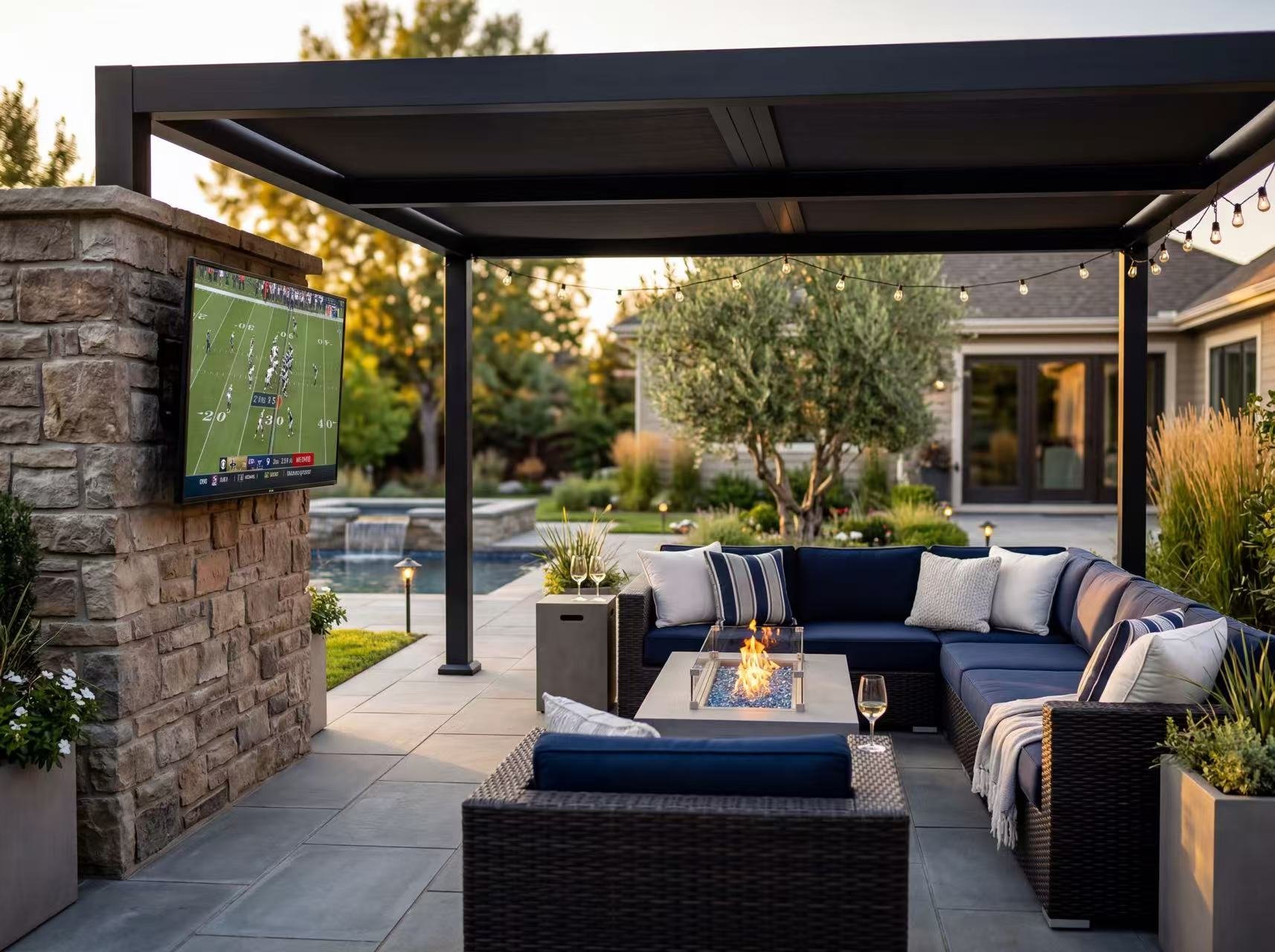
Why Built-In Chromecast Matters for Outdoor TVs
Three specific outdoor scenarios where built-in Chromecast is meaningfully better:
1. Pool parties and group gatherings. Multiple guests want to play their music or share photos. With built-in Chromecast, anyone with a phone hits the cast button in their app and content plays — no remote sharing, no app installation, no account login on the TV.
2. Quick photo / video shares. Someone shows up with a vacation photo, a kid's birthday video, or a game-day reaction clip. Built-in Chromecast lets them push it directly from Google Photos, Instagram, or any video app in 2 taps.
3. Music while grilling. The outdoor TV doubles as a sound system via 30W Atmos speakers or a paired soundbar. Spotify and YouTube Music cast directly from the phone — no need to navigate the TV's smart OS menus to launch the music app.
For households without built-in Chromecast (Samsung Tizen, Roku TV outdoor models, proprietary outdoor TV OSes), every one of these scenarios requires a workaround — sharing a remote, using a slower screen-mirror, or buying and installing an external Chromecast dongle.
The Best Outdoor TV with Chromecast Built-In — BYTEFREE BF-55ODTV ($1,499)
The BYTEFREE BF-55ODTV is the only outdoor TV under $3,000 in 2026 with native Chromecast:
Other outdoor TVs and their casting situations:
Samsung The Terrace: Uses SmartThings + Apple AirPlay; no Chromecast. Apple-heavy households work fine; mixed Android/iPhone households face friction.
Sylvox Deck Pro 2.0: Stripped Android TV with limited app support; casting works but app library smaller.
Furrion Aurora: webOS variant; supports screen mirroring but not native Chromecast.
Peerless-AV Neptune: Roku TV; supports its own cast equivalent (Roku Mobile App) but not Chromecast.
Element outdoor models: Generic Android UI; Chromecast support varies by model and firmware.
For households that already use Chromecast on their indoor TVs, casting to the outdoor BYTEFREE feels identical — same UI, same cast targets, same workflow.
Casting from iPhone to BYTEFREE: How It Works
A common question: "Can iPhone users cast to a Google TV?" The answer is yes, through any cast-enabled app. The flow:
Open any cast-compatible app on iPhone (YouTube, Netflix, Spotify, Disney+, Plex, etc.)
Tap the cast icon (square with Wi-Fi symbol) in the app
Select "BYTEFREE BF-55ODTV" from the cast targets list
Content plays on the TV; phone returns to normal use
The native iOS AirPlay protocol isn't built into Google TV (it's an Apple ecosystem feature), but virtually every streaming and media app on iOS supports Chromecast as a casting target. For 95% of iPhone users, the Chromecast experience on BYTEFREE is functionally equivalent to AirPlay on a Samsung Tizen TV.
For full AirPlay (mirror entire iPhone screen, not just app content), you'd need an Apple TV 4K connected via HDMI. This is the same situation on most non-Samsung TVs.
What You Don't Need with Built-In Chromecast
Eliminating these line items from your outdoor TV install:
Chromecast dongle: $50 saved + no extra HDMI port used
Outdoor enclosure for streamer: $40–80 saved + no weatherproofing problem
Extra power outlet for streamer: No additional GFCI demand
Extra HDMI cable: No additional cable run
Extra remote / app to manage: Simpler day-to-day use
Cumulative savings: $100–150 in hardware plus install simplicity. For a $1,499 TV, this matters as a percentage. For a $5,000+ premium outdoor TV, it's noise — but those buyers usually want Tizen / Samsung integration anyway.
Frequently Asked Questions
Can I cast from any phone to BYTEFREE?
Yes — Android, iPhone, or Windows phones with cast-enabled apps. The cast button in apps like YouTube, Netflix, Spotify, Disney+, Plex, Twitch, and hundreds more shows BYTEFREE as a target on the same Wi-Fi network.
Is built-in Chromecast as good as a separate Chromecast device?
Functionally identical for most users. The same cast UI, same supported apps, same 4K HDR output. The main practical difference: built-in Chromecast updates with the TV's firmware; a separate device updates independently. Either approach works fine.
Does Chromecast work over Ethernet on BYTEFREE?
Yes. Built-in Chromecast uses whatever network connection the TV has. Ethernet is more reliable than Wi-Fi for outdoor installs distant from the router. The phone (cast source) can be on Wi-Fi while the TV is on Ethernet — same Chromecast still works as long as both are on the same network.
Can multiple people cast to the TV at once?
No — only one cast session at a time. Whoever casts last takes over the screen. This is intended behavior across all Chromecast devices, including BYTEFREE built-in.
Will casting work if my Wi-Fi is weak outdoors?
Casting reliability depends on the network connection between phone and TV. If outdoor Wi-Fi is weak, casting can stutter or disconnect. Solutions: (1) use Ethernet to the TV and ensure good phone Wi-Fi, (2) add a Wi-Fi mesh node closer to the TV, (3) ensure phone and TV are on the same Wi-Fi network (some routers separate 2.4GHz/5GHz or guest networks).
Does Chromecast support Dolby Vision HDR cast?
Yes — Chromecast passes through full source quality including HDR10 and Dolby Vision when the source app supports it. Netflix, Disney+, Apple TV+, and others all cast Dolby Vision content to BYTEFREE in full quality.
Bottom Line
For outdoor TV buyers who want seamless phone casting without the cost or complexity of an external streamer, the BYTEFREE BF-55ODTV at $1,499 is the only mainstream outdoor TV under $3,000 with Chromecast built in for 2026. Native Google TV integration, support for both Android and iPhone casting, and full 4K HDR / Dolby Vision pass-through.
For households where the outdoor TV is used in groups, the built-in Chromecast eliminates the friction of remote sharing, app installation, and account management. Anyone with a phone can cast in 2 taps.
→ Shop the BYTEFREE BF-55ODTV at [bytefree.net](http://bytefree.net) — 55″ 4K, IP55, –22°F to 122°F operating range, all-metal chassis, partial-sun rated, $1,499.
| Quick takeaway: "Chromecast built in" means the TV itself appears as a cast target on every phone in your house — no dongle, no extra HDMI cable, no extra power outlet, no extra remote. BYTEFREE BF-55ODTV ($1,499) is the only outdoor TV under $3,000 with this feature in 2026. For households where guests routinely want to play music, show photos, or stream their content, built-in Chromecast eliminates the most common outdoor-AV friction point. |
What "Chromecast Built-In" Actually Means
Three levels of casting support in modern TVs:
1. External Chromecast dongle ($30–60): A separate device plugged into HDMI. Adds cost, requires power, requires its own remote, and creates an additional weatherproofing problem outdoors.
2. Screen mirroring ("Cast to" or "Smart View"): A TV that accepts mirrored phone screens. Lower-quality experience — full-screen mirror with phone interface visible, lower resolution, sync issues, can't continue using the phone for other things while casting.
3. Chromecast built in (Google TV native): The TV is itself a Chromecast target at the OS level. Apps cast directly with full resolution, the phone returns to normal use immediately after casting, and any cast-compatible app works (Netflix, YouTube, Spotify, Disney+, Plex, hundreds more).
The third option is the right one for outdoor TVs because it eliminates the friction that would otherwise make outdoor casting awkward in group settings.
Why Built-In Chromecast Matters for Outdoor TVs
Three specific outdoor scenarios where built-in Chromecast is meaningfully better:
1. Pool parties and group gatherings. Multiple guests want to play their music or share photos. With built-in Chromecast, anyone with a phone hits the cast button in their app and content plays — no remote sharing, no app installation, no account login on the TV.
2. Quick photo / video shares. Someone shows up with a vacation photo, a kid's birthday video, or a game-day reaction clip. Built-in Chromecast lets them push it directly from Google Photos, Instagram, or any video app in 2 taps.
3. Music while grilling. The outdoor TV doubles as a sound system via 30W Atmos speakers or a paired soundbar. Spotify and YouTube Music cast directly from the phone — no need to navigate the TV's smart OS menus to launch the music app.
For households without built-in Chromecast (Samsung Tizen, Roku TV outdoor models, proprietary outdoor TV OSes), every one of these scenarios requires a workaround — sharing a remote, using a slower screen-mirror, or buying and installing an external Chromecast dongle.
The Best Outdoor TV with Chromecast Built-In — BYTEFREE BF-55ODTV ($1,499)
The BYTEFREE BF-55ODTV is the only outdoor TV under $3,000 in 2026 with native Chromecast:
| Feature | BYTEFREE BF-55ODTV | Notes |
| Chromecast built in | Yes (full Google TV) | Works with all cast-compatible apps |
| Cast from Android | Yes, native | Hit cast button in any app |
| Cast from iPhone | Yes via app cast buttons | Same flow as Android — apps handle iOS casting |
| Cast from desktop Chrome | Yes | Cast tab or full-screen from Chrome browser |
| Voice casting via Google Assistant | Yes | "Hey Google, play X on BYTEFREE" |
| Multi-room audio integration | Yes | Pair with Google Home / Nest speakers |
| 4K HDR cast support | Yes | Casts in full source resolution including HDR/Dolby Vision |
| Latency | <100 ms typical | Smooth video playback, lipsync correct |
Samsung The Terrace: Uses SmartThings + Apple AirPlay; no Chromecast. Apple-heavy households work fine; mixed Android/iPhone households face friction.
Sylvox Deck Pro 2.0: Stripped Android TV with limited app support; casting works but app library smaller.
Furrion Aurora: webOS variant; supports screen mirroring but not native Chromecast.
Peerless-AV Neptune: Roku TV; supports its own cast equivalent (Roku Mobile App) but not Chromecast.
Element outdoor models: Generic Android UI; Chromecast support varies by model and firmware.
For households that already use Chromecast on their indoor TVs, casting to the outdoor BYTEFREE feels identical — same UI, same cast targets, same workflow.
Casting from iPhone to BYTEFREE: How It Works
A common question: "Can iPhone users cast to a Google TV?" The answer is yes, through any cast-enabled app. The flow:
Open any cast-compatible app on iPhone (YouTube, Netflix, Spotify, Disney+, Plex, etc.)
Tap the cast icon (square with Wi-Fi symbol) in the app
Select "BYTEFREE BF-55ODTV" from the cast targets list
Content plays on the TV; phone returns to normal use
The native iOS AirPlay protocol isn't built into Google TV (it's an Apple ecosystem feature), but virtually every streaming and media app on iOS supports Chromecast as a casting target. For 95% of iPhone users, the Chromecast experience on BYTEFREE is functionally equivalent to AirPlay on a Samsung Tizen TV.
For full AirPlay (mirror entire iPhone screen, not just app content), you'd need an Apple TV 4K connected via HDMI. This is the same situation on most non-Samsung TVs.
What You Don't Need with Built-In Chromecast
Eliminating these line items from your outdoor TV install:
Chromecast dongle: $50 saved + no extra HDMI port used
Outdoor enclosure for streamer: $40–80 saved + no weatherproofing problem
Extra power outlet for streamer: No additional GFCI demand
Extra HDMI cable: No additional cable run
Extra remote / app to manage: Simpler day-to-day use
Cumulative savings: $100–150 in hardware plus install simplicity. For a $1,499 TV, this matters as a percentage. For a $5,000+ premium outdoor TV, it's noise — but those buyers usually want Tizen / Samsung integration anyway.
Frequently Asked Questions
Can I cast from any phone to BYTEFREE?
Yes — Android, iPhone, or Windows phones with cast-enabled apps. The cast button in apps like YouTube, Netflix, Spotify, Disney+, Plex, Twitch, and hundreds more shows BYTEFREE as a target on the same Wi-Fi network.
Is built-in Chromecast as good as a separate Chromecast device?
Functionally identical for most users. The same cast UI, same supported apps, same 4K HDR output. The main practical difference: built-in Chromecast updates with the TV's firmware; a separate device updates independently. Either approach works fine.
Does Chromecast work over Ethernet on BYTEFREE?
Yes. Built-in Chromecast uses whatever network connection the TV has. Ethernet is more reliable than Wi-Fi for outdoor installs distant from the router. The phone (cast source) can be on Wi-Fi while the TV is on Ethernet — same Chromecast still works as long as both are on the same network.
Can multiple people cast to the TV at once?
No — only one cast session at a time. Whoever casts last takes over the screen. This is intended behavior across all Chromecast devices, including BYTEFREE built-in.
Will casting work if my Wi-Fi is weak outdoors?
Casting reliability depends on the network connection between phone and TV. If outdoor Wi-Fi is weak, casting can stutter or disconnect. Solutions: (1) use Ethernet to the TV and ensure good phone Wi-Fi, (2) add a Wi-Fi mesh node closer to the TV, (3) ensure phone and TV are on the same Wi-Fi network (some routers separate 2.4GHz/5GHz or guest networks).
Does Chromecast support Dolby Vision HDR cast?
Yes — Chromecast passes through full source quality including HDR10 and Dolby Vision when the source app supports it. Netflix, Disney+, Apple TV+, and others all cast Dolby Vision content to BYTEFREE in full quality.
Bottom Line
For outdoor TV buyers who want seamless phone casting without the cost or complexity of an external streamer, the BYTEFREE BF-55ODTV at $1,499 is the only mainstream outdoor TV under $3,000 with Chromecast built in for 2026. Native Google TV integration, support for both Android and iPhone casting, and full 4K HDR / Dolby Vision pass-through.
For households where the outdoor TV is used in groups, the built-in Chromecast eliminates the friction of remote sharing, app installation, and account management. Anyone with a phone can cast in 2 taps.
→ Shop the BYTEFREE BF-55ODTV at [bytefree.net](http://bytefree.net) — 55″ 4K, IP55, –22°F to 122°F operating range, all-metal chassis, partial-sun rated, $1,499.


